
Tracking Construction Sites with Neo 2 | Urban Tips
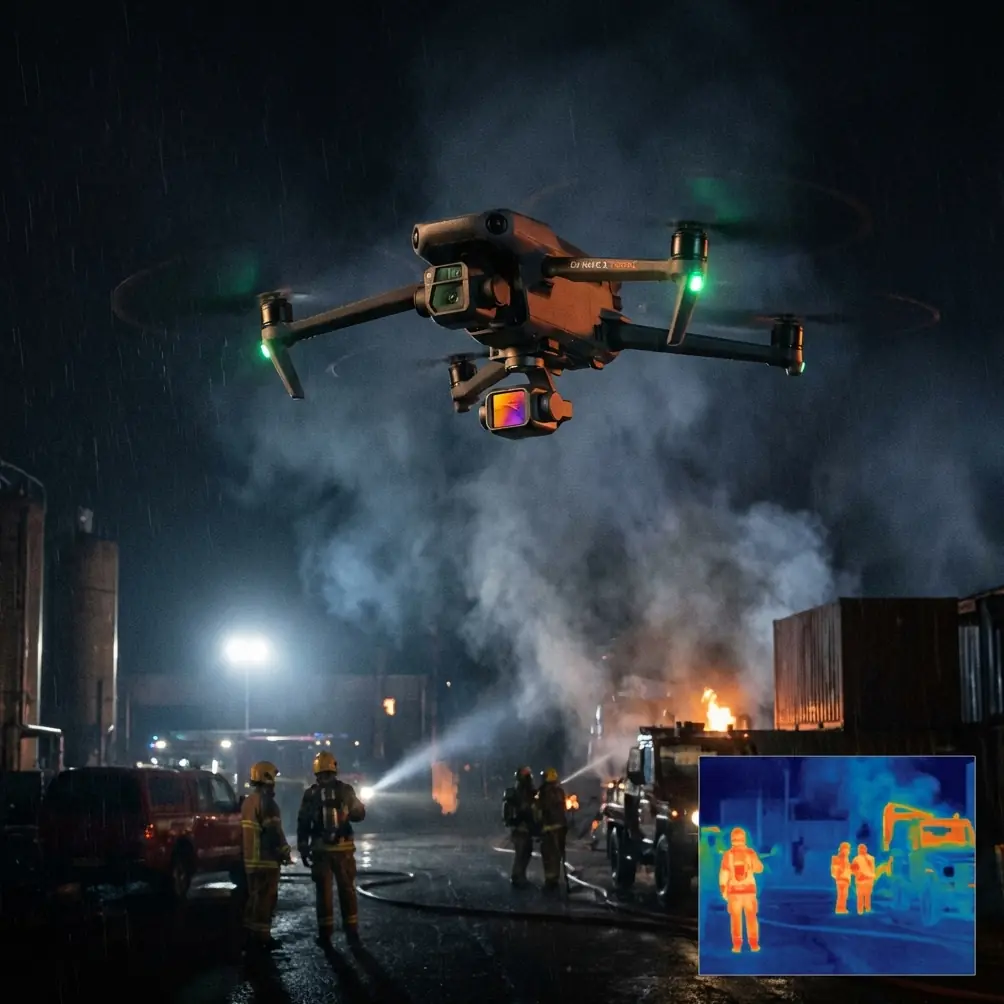
Tracking Construction Sites with Neo 2 | Urban Tips
META: Master urban construction site tracking with Neo 2. Learn expert antenna positioning, obstacle avoidance settings, and ActiveTrack techniques for professional results.
TL;DR
- Antenna positioning at 45-degree angles maximizes signal penetration through urban interference
- ActiveTrack 5.0 maintains lock on moving equipment even behind temporary structures
- D-Log color profile preserves detail in high-contrast construction environments
- Obstacle avoidance tuning prevents collisions with cranes, scaffolding, and aerial obstructions
Urban construction documentation presents unique challenges that ground-based cameras simply cannot solve. The Neo 2's advanced tracking capabilities transform how project managers, contractors, and content creators capture site progress—but only when configured correctly for dense environments.
This case study breaks down the exact settings, positioning strategies, and workflow optimizations that separate amateur footage from professional-grade construction documentation.
Why Urban Construction Sites Demand Specialized Drone Techniques
Construction sites in metropolitan areas create a perfect storm of technical obstacles. Steel structures scatter GPS signals. Cranes create unpredictable movement patterns. Reflective surfaces confuse optical sensors.
The Neo 2 addresses these challenges through its tri-band GPS receiver and omnidirectional obstacle sensing, but default settings rarely deliver optimal results in these demanding conditions.
The Signal Interference Problem
Urban canyons—those corridors between tall buildings—degrade drone communication in three critical ways:
- Multipath interference bounces signals off glass and steel
- Electromagnetic noise from construction equipment disrupts frequencies
- Physical obstructions block line-of-sight transmission
- Competing wireless networks crowd available bandwidth
- Metal scaffolding acts as unintentional signal blockers
Understanding these factors determines whether your Neo 2 maintains reliable connection at 500 meters or loses signal at 150 meters.
Antenna Positioning: The Foundation of Reliable Urban Flights
Expert Insight: The single most overlooked factor in urban drone operation is controller antenna orientation. Proper positioning can extend effective range by 40-60% in obstructed environments.
The Neo 2 controller features dual antennas that function as directional receivers. Most operators hold them vertically—a habit that costs significant signal strength when the drone operates at varying altitudes.
The 45-Degree Rule
Position both antennas at 45-degree angles, creating a V-shape pointed toward your aircraft. This orientation accomplishes two things:
- Broader reception pattern captures signals from multiple angles
- Reduced ground reflection interference minimizes multipath distortion
When tracking construction equipment moving across a site, maintain this angle while rotating your body to keep the controller face oriented toward the Neo 2. Physical barriers between you and the aircraft degrade signal faster than distance alone.
Optimal Operator Positioning
Select your ground station location based on these priorities:
- Elevated positions above ground-level obstructions
- Clear sightlines to the majority of your flight zone
- Distance from active heavy equipment generating electromagnetic interference
- Shade coverage to maintain screen visibility
- Legal access with appropriate site permissions
A rooftop or elevated platform 15-20 meters above street level typically provides the best combination of range and visibility for comprehensive site coverage.
Configuring ActiveTrack for Construction Equipment
The Neo 2's ActiveTrack 5.0 system uses machine learning to maintain subject lock, but construction sites present edge cases that require manual optimization.
Subject Recognition Challenges
Standard ActiveTrack profiles recognize vehicles, people, and animals. Construction equipment—excavators, cranes, concrete trucks—falls outside these categories. The system defaults to generic object tracking, which loses lock more easily during partial occlusions.
Recommended settings for equipment tracking:
| Parameter | Default | Construction Optimized |
|---|---|---|
| Tracking Sensitivity | Medium | High |
| Obstacle Response | Stop | Detour |
| Subject Size | Auto | Large |
| Prediction Mode | Standard | Extended |
| Recovery Timeout | 3 seconds | 8 seconds |
These adjustments tell the Neo 2 to work harder at maintaining lock and recovering when temporary obstructions interrupt visual contact.
Pro Tip: Draw a larger selection box than the equipment itself when initiating tracking. Including 20-30% margin around the subject helps the system maintain lock during orientation changes and partial obstructions.
Tracking Moving Cranes
Tower cranes present a particular challenge due to their height, rotation, and the loads they carry. The Neo 2 cannot safely track a crane hook through its full range of motion—the aircraft would eventually collide with the tower or jib.
Instead, use Spotlight mode rather than full ActiveTrack. This keeps the camera locked on the crane while you manually control aircraft position, maintaining safe distances from the structure while capturing dynamic footage of lifting operations.
Obstacle Avoidance Tuning for Complex Environments
The Neo 2's omnidirectional obstacle sensing detects objects in all directions simultaneously, but construction sites contain obstacles that challenge even advanced systems.
What the Sensors See (and Miss)
The obstacle avoidance system reliably detects:
- Solid structures (buildings, walls, equipment)
- Large cables and guy-wires above 10mm diameter
- Moving vehicles and personnel
- Temporary fencing and barriers
The system struggles with:
- Thin cables and power lines below 8mm diameter
- Transparent or highly reflective surfaces
- Fast-moving objects entering the detection zone
- Chain-link fencing (partial transparency confuses sensors)
Recommended Avoidance Settings
For active construction sites with multiple aerial hazards:
- Set minimum obstacle distance to 5 meters (default is 2 meters)
- Enable APAS 5.0 for intelligent path planning around obstructions
- Activate upward obstacle sensing for crane and scaffolding awareness
- Configure return-to-home altitude above the tallest site structure plus 20 meters
These conservative settings sacrifice some maneuverability for significantly improved safety margins.
Capturing Professional-Grade Construction Documentation
Technical settings mean nothing without proper shooting techniques. Construction documentation serves specific purposes—progress verification, safety compliance, marketing materials—each requiring different approaches.
D-Log for Maximum Flexibility
The Neo 2's D-Log color profile captures 10-bit color depth with a flat contrast curve. This preserves detail in both shadowed excavations and bright sky backgrounds that characterize construction site footage.
Post-processing D-Log footage requires color grading, but the flexibility gained outweighs the additional editing time for professional deliverables.
Hyperlapse for Progress Documentation
Monthly progress documentation benefits enormously from Hyperlapse sequences. The Neo 2's 8K Hyperlapse mode creates compelling time-compressed footage showing site evolution.
Optimal Hyperlapse settings for construction:
- Interval: 2 seconds for equipment movement, 5 seconds for static progress shots
- Duration: 15-30 minutes of real-time capture
- Path: Waypoint-based for repeatable monthly comparisons
- Altitude: 50-80 meters for comprehensive site overview
QuickShots for Marketing Content
When clients need polished promotional footage, QuickShots deliver cinematic results with minimal pilot input:
- Dronie reveals site scale dramatically
- Circle showcases completed structures
- Helix combines vertical and orbital movement for dynamic reveals
- Rocket emphasizes building height and progress
Common Mistakes to Avoid
Flying without site authorization. Construction sites are private property with active insurance policies. Unauthorized drone operations create liability issues and may result in equipment confiscation.
Ignoring weather windows. Urban construction sites generate their own microclimates. Concrete dust, thermal updrafts from equipment, and wind acceleration between structures affect flight stability. Check conditions at ground level AND at planned flight altitude.
Relying solely on automated tracking. ActiveTrack handles routine tracking beautifully, but construction sites change daily. New scaffolding, relocated equipment, and temporary structures appear without warning. Always maintain visual contact and manual override readiness.
Underestimating battery consumption. Obstacle avoidance systems, active tracking, and frequent altitude changes drain batteries faster than standard flight. Plan for 20-25% reduced flight time compared to open-area operations.
Neglecting sensor calibration. Electromagnetic interference from construction equipment can affect compass accuracy. Calibrate the Neo 2's compass before each site visit, away from metal structures and running machinery.
Frequently Asked Questions
How close can the Neo 2 safely operate to active cranes?
Maintain minimum 30 meters horizontal distance from any crane during lifting operations. Crane loads can swing unpredictably, and the aircraft's obstacle avoidance cannot react quickly enough to a fast-moving suspended load. During non-operational periods, 15 meters provides adequate safety margin from the static structure.
What permits are required for construction site drone operations?
Requirements vary by jurisdiction, but most urban areas require Part 107 certification (or equivalent), site owner authorization, and notification to local aviation authorities when operating near heliports or airports. Many municipalities also require specific permits for commercial drone operations within city limits. Verify local regulations before each project.
Can the Neo 2 capture usable footage in dusty conditions?
The Neo 2 operates reliably in light to moderate dust conditions common on construction sites. Heavy dust from active demolition or concrete cutting can obscure sensors and affect image quality. Schedule flights during lower-activity periods—early morning or during lunch breaks—when airborne particulates settle. Clean optical sensors after every dusty-environment flight.
Urban construction documentation with the Neo 2 rewards preparation and proper configuration. The techniques outlined here transform challenging environments into opportunities for footage that ground-based methods simply cannot match.
Ready for your own Neo 2? Contact our team for expert consultation.