
Neo 2 for Coastal Venues: A Technical Review
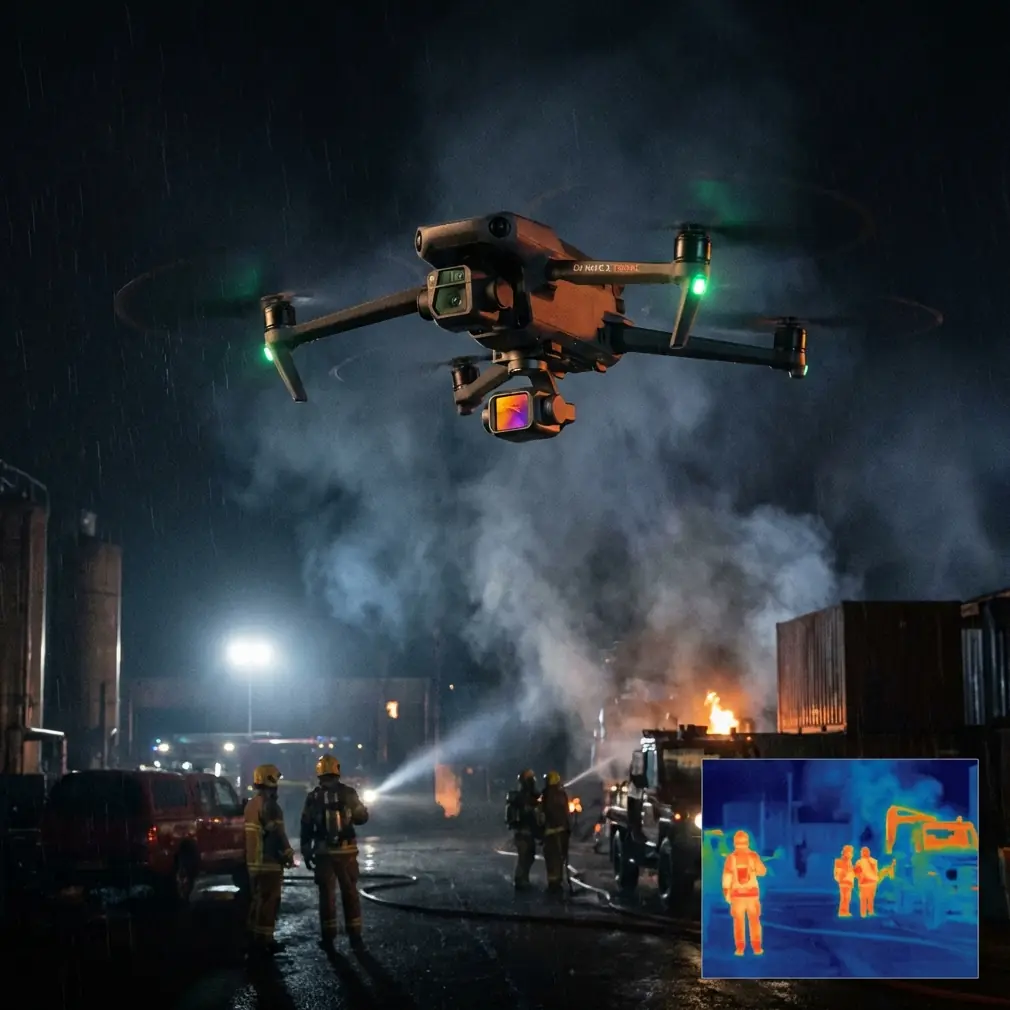
Neo 2 for Coastal Venues: A Technical Review from a Cinematic Operations Perspective
META: Expert review of Neo 2 for coastal venue monitoring, covering gimbal angles, orbit shots, flight altitude strategy, tracking, and safer operating practices.
Coastal venues are visually generous and operationally unforgiving. Open water gives you clean sightlines. Sea walls, piers, temporary stages, tents, palm lines, metal truss, and shifting wind do the opposite. If you are evaluating Neo 2 for venue monitoring in this environment, the real question is not whether it can get attractive footage. Most modern aircraft can. The better question is whether it helps an operator capture usable, repeatable visual intelligence without drifting into risky flight habits that look clever on paper and expensive in practice.
That is where the reference material becomes unexpectedly relevant. On page 4 of the cited filming manual, two techniques stand out: directional gimbal angle control using a three-axis gimbal, and orbit-style scene rotation. Those are not just filmmaking tricks. In a coastal venue workflow, they are practical tools for inspection-grade visual coverage, stakeholder reporting, and pre-event situational review.
As a photographer, I tend to look at aircraft performance through the lens of output discipline. A drone earns its place when it helps you see more clearly, not merely more dramatically. For Neo 2, that means assessing how camera orientation, flight path design, subject tracking, and obstacle management work together in a venue-monitoring job.
Why the gimbal matters more than the airframe in venue monitoring
The manual highlights a core capability: many drones use a three-axis gimbal, allowing operators to adjust roll and tilt for front-facing, level, and angled compositions. Operationally, this matters because coastal venue monitoring rarely depends on one viewing angle.
A venue manager may need three different answers from one short flight:
- Is the audience circulation zone clear?
- Are stage-edge barriers and temporary structures aligned correctly?
- Is erosion, pooling, or access blockage developing near the shoreline?
Those are three different visual problems. A level horizon view helps assess crowd routes and line geometry. A forward-facing shot is useful for perimeter sweeps. A downward-tilted angle reveals spacing, drainage patterns, tent placement, and queue formation in ways a flatter shot cannot.
This is why gimbal control on Neo 2 should be treated as a data-acquisition tool, not just a creative feature. The ability to move between horizontal and oblique views without destabilizing the image improves continuity during a monitoring pass. In coastal work, continuity matters. If you are documenting conditions before gates open, then repeating that route during live occupancy, stable angle changes help you compare like for like.
There is also a wind-management advantage. On breezy waterfront sites, the aircraft may make micro-corrections even when hovering. A well-tuned three-axis gimbal separates those airframe movements from the footage. The result is not simply prettier video. It is footage that remains readable enough for venue operations teams to inspect details frame by frame.
Orbit shots are not just cinematic—they are spatially efficient
The same manual references orbiting a scene, where the drone rotates along a track around a subject. In cinematic language, that is a reveal or establishing motion. In venue operations, it can become one of the most efficient ways to understand site relationships.
A controlled orbit around a stage, grandstand, hospitality structure, or waterfront activation zone shows how the venue sits inside its environment. It reveals access roads, pedestrian inflow points, emergency lanes, fencing continuity, and the exposure of temporary structures to onshore wind. A static overhead frame can miss those relationships. A slow orbit makes them obvious.
For Neo 2 users, this is where features like QuickShots or a refined automated orbit mode can save time, provided they are used with discipline. Automation is useful when the flight environment is open and your path has already been visually cleared. It is less useful when operators rely on it blindly near lighting poles, signage rigs, tree lines, or tensile structures.
That distinction matters because the reference document also warns against hazardous location choices. It specifically flags canyons as dangerous and notes that forested areas with trees or shrubs can easily cause failures or crashes. A coastal venue is not a canyon or a forest, but the principle transfers directly: dramatic surroundings can tempt crews into flights that tighten margins too far.
For example, an operator chasing a dramatic orbit around a cliffside amphitheater, dune walkway, or marina-edge pavilion may let the pursuit of uniqueness override safe lateral clearance. The manual’s warning is a useful corrective. The best venue-monitoring orbit is the one you can repeat safely, with consistent framing, from a buffer-rich flight path.
The best flight altitude for coastal venue monitoring
Altitude is where style and utility either align or separate.
Too low, and Neo 2 may deliver engaging footage but poor operational context. Too high, and you lose the practical detail needed to assess barriers, foot traffic lanes, signage visibility, and equipment placement. For most coastal venue monitoring tasks, my preferred starting point is around 30 to 45 meters above ground level, adjusted for the venue’s footprint and local restrictions.
Why that band?
At roughly 30 meters, you can usually capture enough detail to read spatial organization while keeping a broad view of the site. This is ideal for checking queue structures, concession clustering, parking edge conditions, or shoreline pedestrian movement.
Moving toward 45 meters improves whole-site comprehension. That is especially valuable for irregular coastal venues where land, promenade, and waterline create awkward geometry. From this height, an oblique gimbal angle gives a balanced frame: enough top-down information for layout review, enough horizon for orientation.
Below that range, Neo 2 becomes more vulnerable to localized turbulence around buildings, canopies, and stage structures. Above that range, you may gain a cleaner map-like view but lose the fine operational cues that venue teams actually need. The sweet spot changes, but starting in the 30–45 meter window is usually the most productive way to build a repeatable monitoring routine.
For close structural checks—say, banner alignment, roof membrane inspection, or temporary truss documentation—you can descend in controlled segments after the wider overview pass. But making the first pass too low is a common error. It feels immersive and often tells you less.
Coastal wind changes the value of obstacle avoidance
The reference manual focuses on risky terrain choices, particularly forests and canyons. In Neo 2 terms, this naturally leads to the question of obstacle avoidance. Coastal venues may appear open, but they are full of partial hazards: cable runs, light towers, decorative poles, scaffold roofs, palm canopies, flags, and elevated signage.
Obstacle avoidance is useful here, but only if the operator understands its limits. Wind can push an aircraft toward an object faster than a pilot expects. Sand haze, low-angle glare, and reflective surfaces can complicate machine vision. Thin lines and temporary event materials are not always detected as reliably as solid structures.
That is why I would rank obstacle avoidance on Neo 2 as a support layer, not the primary safety strategy. The primary strategy remains route design. Build your flight around known clear corridors. Keep your orbit radius generous. Do not tuck the aircraft into visual dead zones created by stage roofs or tree edges simply to make the shot more dramatic.
This is exactly where the manual’s caution about dense vegetation has operational significance. Trees and shrubs are not just collision risks. In coastal airflow, they create erratic gust patterns and visual interruptions. If your venue borders landscaped zones, maintain extra stand-off distance. The footage will often be cleaner as well.
Subject tracking and ActiveTrack in a venue context
The context hints at Subject tracking and ActiveTrack, and these can be genuinely helpful for civilian venue operations when used on predictable targets. Think maintenance carts, inspection walks, shoreline cleanup teams, or guided movement checks before public entry.
What makes tracking valuable is not novelty. It is consistency. A tracked subject crossing the venue gives you a moving reference point for path width, surface condition, and accessibility. If a staff vehicle follows the primary service route, Neo 2 can document turns, choke points, and crossing conflicts far better than a series of disconnected manual clips.
Still, a coastal venue is not a closed studio set. Tracking can become unreliable when the subject passes beneath canopies, near reflective water, or beside visually confusing backgrounds. I prefer using ActiveTrack for short, intentional sequences rather than an entire mission. Capture the route segment that answers a question, then return to manual positioning.
QuickShots and automated moves also have a place, though I would use them sparingly in monitoring work. They are useful when stakeholders need immediate visual summaries that are easy to interpret. A short orbit, pull-away, or reveal can communicate venue scale and shoreline exposure quickly. But once the briefing aesthetic is satisfied, switch back to deliberate manual capture.
D-Log and Hyperlapse: nice to have, not always mission-critical
For photographers and media teams attached to coastal venues, D-Log can be a serious asset. Shoreline scenes often combine bright sky, reflective water, pale concrete, and shadowed structures in the same frame. A flatter capture profile preserves flexibility in post-production, especially if the footage is being used for sponsor reels, planning presentations, or seasonal venue case studies.
From a monitoring standpoint, though, D-Log is only useful if your workflow can process it properly. If the end user needs immediate review on-site, a more direct profile may be more practical. Dynamic range is helpful, but not at the expense of fast readability.
Hyperlapse is similar. For pure operations, it is not essential. For trend communication, it can be excellent. A hyperlapse sequence from the same vantage over setup hours can show crowd barrier deployment, tide influence, weather progression, or public arrival patterns with unusual clarity. In coastal venues, where conditions change visibly over time, this can be more informative than standard clips.
Sunrise and sunset are not aesthetic luxuries
The source extract mentions making good use of sunrise and sunset, noting that light and shadow differ throughout the day and camera settings should adapt accordingly. This is not just a creative note. In coastal venue monitoring, timing affects interpretability.
Early and late light can reveal surface texture, drainage channels, cable humps, and wear patterns that disappear under flat midday brightness. Low-angle light also helps identify elevation changes around access routes and temporary flooring. If Neo 2 is being used to support setup verification or post-event condition review, those time windows can reveal issues that overhead noon footage will smooth over.
The tradeoff is that sunrise and sunset can introduce long shadows and strong contrast. This is where careful gimbal angle selection becomes useful again. A slight adjustment away from direct glare or into a more oblique viewing angle can preserve detail without forcing unnecessary repositioning.
Practical workflow for Neo 2 at a coastal venue
My preferred operational sequence is straightforward:
- Start with a high-level overview pass at about 35 to 40 meters.
- Use a level gimbal angle for orientation clips.
- Shift to an oblique tilt to inspect pathways, seating blocks, shoreline edges, and service corridors.
- Run one conservative orbit around the venue’s primary structure, only if clearance is generous.
- Use short subject-tracking segments for moving staff or service-route validation.
- Reserve lower-altitude detail passes for specific questions, not general exploration.
That workflow respects what the reference material teaches: camera angle variety matters, orbiting can reveal a scene effectively, and risky environments punish overconfidence. The most common mistake I see is operators skipping the disciplined overview and jumping straight into complex low-altitude movement because it looks more skilled. Usually it is just less informative.
If you are planning a Neo 2 deployment for a waterfront event space, marina venue, or beachfront hospitality site and want to compare route design options, you can message a coastal drone workflow specialist here.
Final assessment
Neo 2 makes the most sense for coastal venue monitoring when it is treated as a precision observation platform with cinematic intelligence, not merely a flying camera. The three-axis gimbal is central because it lets one flight produce multiple kinds of operational evidence. Orbit capability is useful because it explains spatial relationships quickly. Sunrise and sunset timing can improve visibility of real site issues, not just visual mood. And the warnings about dangerous terrain translate cleanly into a broader operating rule: do not let the search for dramatic footage push the aircraft into poor margins near obstacles, vegetation, or exposed terrain features.
Used well, Neo 2 can document venue readiness, support inspections, and build repeatable visual records that actually help teams make decisions. That is the standard that matters.
Ready for your own Neo 2? Contact our team for expert consultation.