
Neo 2 Field Report: Monitoring Power Lines in Extreme
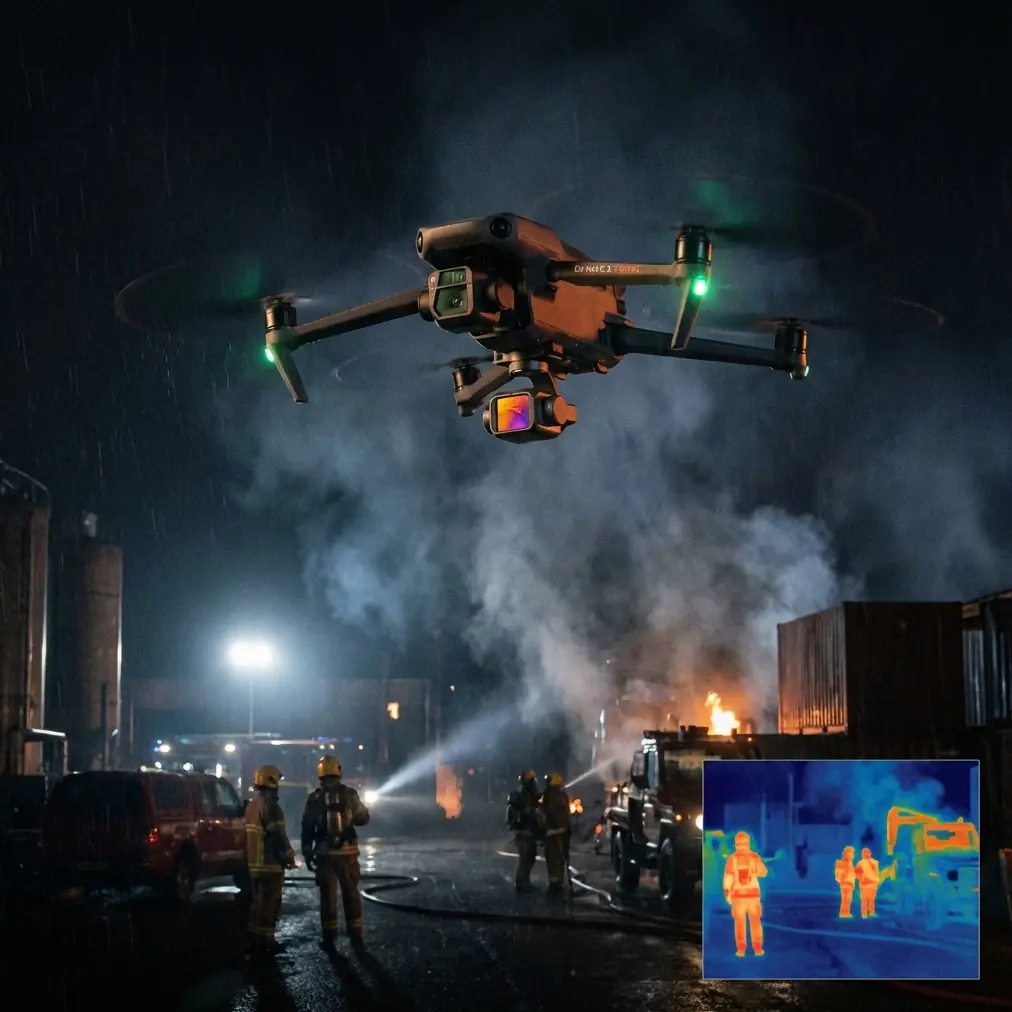
Neo 2 Field Report: Monitoring Power Lines in Extreme Temperatures Without Losing the Aircraft
META: Expert field report on using Neo 2 for power line monitoring in extreme heat and cold, with practical battery management, obstacle avoidance, tracking, and camera setup tips.
Power line inspection sounds repetitive until weather turns it into a systems test. Heat bakes plastics, weakens battery confidence, and shimmers the air between the lens and the conductor. Cold does the opposite. It steals voltage, hardens your fingers, and shortens the margin for error right when precise control matters most.
That is where the Neo 2 becomes interesting.
Not because it turns a difficult job into an easy one. It does not. What it does offer is a compact, fast-to-deploy aircraft with enough automation to reduce pilot workload when the line, the weather, and the terrain are all asking for attention at once. For crews monitoring distribution corridors in punishing temperatures, that matters more than headline specs. The real question is whether the aircraft helps you make better inspection decisions under pressure.
This field report is built around that question.
Why Neo 2 fits this job better than many people assume
A lot of operators look at a smaller aircraft and assume it belongs in casual flying, quick social footage, or basic site overviews. That misses the point. On power line patrols, especially in extreme conditions, the aircraft that gets in the air quickly and predictably often delivers more usable work than the aircraft with the longer setup ritual.
Neo 2’s value in this context comes from four operational traits working together:
- rapid launch when a crew needs to inspect a suspected fault segment without building a full mission stack
- obstacle avoidance that helps near poles, crossarms, guy wires, trees, and uneven rights-of-way
- subject tracking tools such as ActiveTrack for controlled follow sequences along accessible linear assets
- camera modes including D-Log, Hyperlapse, and QuickShots that, when used properly, support documentation rather than distraction
That last point needs some care. QuickShots and Hyperlapse are not inspection modes in the strict utility sense. They are often dismissed too quickly. Used intelligently, they can help create broad context passes for vegetation encroachment, access route documentation, and post-event site reporting. The trick is knowing when cinematic automation supports fieldwork and when it gets in the way.
The battery lesson extreme temperatures will teach you the hard way
My most useful Neo 2 tip for line monitoring is not about camera settings. It is about batteries.
In severe heat or cold, crews often think in terms of total percentage remaining. That is a mistake. Battery percentage is only half the story. What you need to watch is battery behavior under load. Two packs can both show a healthy state before takeoff and perform very differently once you accelerate, climb, or fight crosswind along a line.
Here is the field habit I recommend: do not treat the first minute of flight as transit time. Treat it as a battery test.
After launch, climb smoothly to a safe standoff position, make one controlled acceleration, then pause and watch for abnormal percentage drop or sudden voltage sag behavior. In cold conditions especially, that brief check tells you more than the screen did on the ground. If the pack settles normally, continue the inspection. If the percentage falls faster than expected during that first demand cycle, shorten the mission immediately and keep the aircraft close.
This sounds basic. It is not. It is the difference between returning with a clean inspection set and forcing a rushed recovery because the pack looked stronger on paper than it behaved in the air.
A second lesson from field use: never leave battery planning to the generic return threshold when inspecting power lines. Linear infrastructure invites one-way thinking. You move down the corridor, find one more point to examine, then another. Meanwhile, the return leg now includes headwind, obstacle re-clearance, and a mentally fatigued pilot. Build your turn-back decision earlier than you think you need it. Extreme temperatures punish optimistic math.
In heat, another issue appears. Batteries that sit in direct sun inside a vehicle can begin the mission already stressed. Operators focus on ambient temperature, but cabin temperature is often the real problem. Shade the packs, keep them organized by readiness, and avoid loading the warmest battery first just because it is on top. Small procedural discipline has a large effect on aircraft predictability.
Obstacle avoidance is useful, but it is not a wire detector you can trust blindly
The phrase “obstacle avoidance” tempts crews into a false sense of security around utility work. With power lines, that is dangerous. Poles, transformers, and trees are relatively easy for a vision-based system to interpret. Conductors, shield wires, and thin branch structures are another matter.
Neo 2’s obstacle avoidance is valuable here, but only if you use it for what it does best: reducing collision risk with larger, more visible hazards while you manage the fine structure manually.
Operationally, that means keeping generous standoff distance from the actual conductor path and using avoidance as a buffer against the background environment, not as your primary defense against the line itself. On hot days, visual distortion from heat shimmer can also make depth judgment worse on the pilot’s display. In those moments, the avoidance system may help with the pole or tree line, but your safe geometry around the wires still has to come from planning and discipline.
For inspection crews, the practical takeaway is simple. Fly the corridor as if no system can reliably protect you from the cable. Let automation handle workload, not responsibility.
ActiveTrack and subject tracking along linear assets
Subject tracking tools, including ActiveTrack, are often discussed in consumer terms. Follow a cyclist. Track a runner. Circle a subject. That framing undersells their utility in industrial fieldwork.
When monitoring power lines, tracking can be useful for repeatable parallel movement beside a pole line, maintenance vehicle, or right-of-way access route. That helps in two ways. First, it reduces stick workload, which frees attention for identifying damaged hardware, leaning structures, insulator contamination, or tree contact risk. Second, it can improve consistency when gathering comparison footage across multiple segments.
But there is a limit. Tracking a maintenance truck along an access road is one thing. Asking an autonomous mode to manage a tight corridor with conductors, vegetation, variable elevation, and changing wind is another. In extreme temperatures, sensor confidence and aircraft performance margins matter even more. If the route is cluttered or the wire environment is visually complex, downgrade the automation and fly the segment manually.
This is where Neo 2 is at its best when handled by an experienced pilot: use the smart tools to reduce routine control burden, then take over early when the environment becomes ambiguous. Good crews do not choose between automation and manual skill. They blend them.
D-Log matters more than many inspection teams realize
If your mission includes any post-flight analysis beyond simple visual confirmation, D-Log deserves attention.
In harsh sun, reflective metal hardware and dark vegetation below the line can create difficult contrast in the same frame. Standard color profiles may clip highlights or crush shadow detail too aggressively, especially around insulators, connectors, and attachment hardware where subtle visual clues matter. D-Log gives you more latitude to preserve tonal information for review later.
That does not turn Neo 2 into a dedicated high-end inspection platform. It does give you a better chance of retaining detail when the scene is visually uneven, which power line environments often are. In practical terms, crews documenting suspected heat stress, discoloration, or physical wear on visible components benefit from footage that can be graded carefully rather than accepted as-is from the screen.
The operational significance is straightforward: D-Log helps separate “we saw something odd” from “we can review that properly back at the desk.” In utility work, that distinction can shape whether a revisit is necessary.
QuickShots and Hyperlapse are not frivolous if you use them with a purpose
I would not use QuickShots near energized infrastructure as a default inspection method. The airspace is too unforgiving for blind trust in preset motion.
Still, there are moments when these modes serve the reporting mission well. QuickShots can help capture wide contextual overviews of a tower approach, a substation edge, or a storm-affected corridor segment after the close inspection work is done and the area is confirmed suitable. Hyperlapse can support slow-change documentation, such as weather movement over a vulnerable section of right-of-way or traffic and access conditions around a repair site.
That is a niche use case, but it is real. Utility documentation is not only about the hardware defect itself. It is also about context: terrain, vegetation pressure, crew access, and environmental conditions. Neo 2’s automated camera tools can contribute to that larger record when used deliberately and well outside the immediate conductor envelope.
Heat, cold, and the hidden pilot workload problem
Extreme temperatures do not just affect the aircraft. They affect pilot judgment.
In heat, crews rush because standing exposed near a corridor is draining. In cold, crews rush because dexterity fades and every menu tap feels slower. Rushing creates the exact pattern that causes inspection misses: too little preflight structure, too much confidence in automation, and a delayed decision to return home.
I recommend a short verbal checklist before every launch, especially when conditions are ugly:
- battery condition confirmed after environmental exposure
- return route visualized before outbound movement
- obstacle avoidance understood as limited near wires
- tracking mode planned with a manual takeover point
- camera profile selected for the actual review goal
That takes less than a minute. It can save the mission.
If your crew is building its Neo 2 operating workflow for utility corridors, share your setup notes with someone who has actually flown these conditions before using this field coordination chat. Small adjustments to launch flow and battery handling are often worth more than another accessory.
What a good Neo 2 power line mission looks like
A strong mission with Neo 2 in extreme temperatures is not flashy. It is calm.
The aircraft launches quickly. The first minute validates battery behavior instead of assuming it. The pilot maintains conservative spacing from conductors and treats obstacle avoidance as secondary protection. ActiveTrack or another subject tracking mode is used only where corridor geometry is readable and escape options are clear. D-Log is chosen when light contrast could hide useful detail. QuickShots and Hyperlapse stay in the toolbox until contextual documentation is needed in a safe segment.
Most importantly, the crew makes one disciplined choice early: they turn back before the battery makes that choice for them.
That is the sort of restraint smaller aircraft reward. Neo 2 is not trying to be every inspection platform at once. In the right hands, it becomes an agile field instrument for targeted line monitoring, especially when weather makes large plans less practical and quick deployment more valuable.
For operators working power lines in extreme heat or cold, that combination is not a convenience. It is operational leverage.
Ready for your own Neo 2? Contact our team for expert consultation.