
Neo 2 on Windy Construction Sites: What Actually Matters
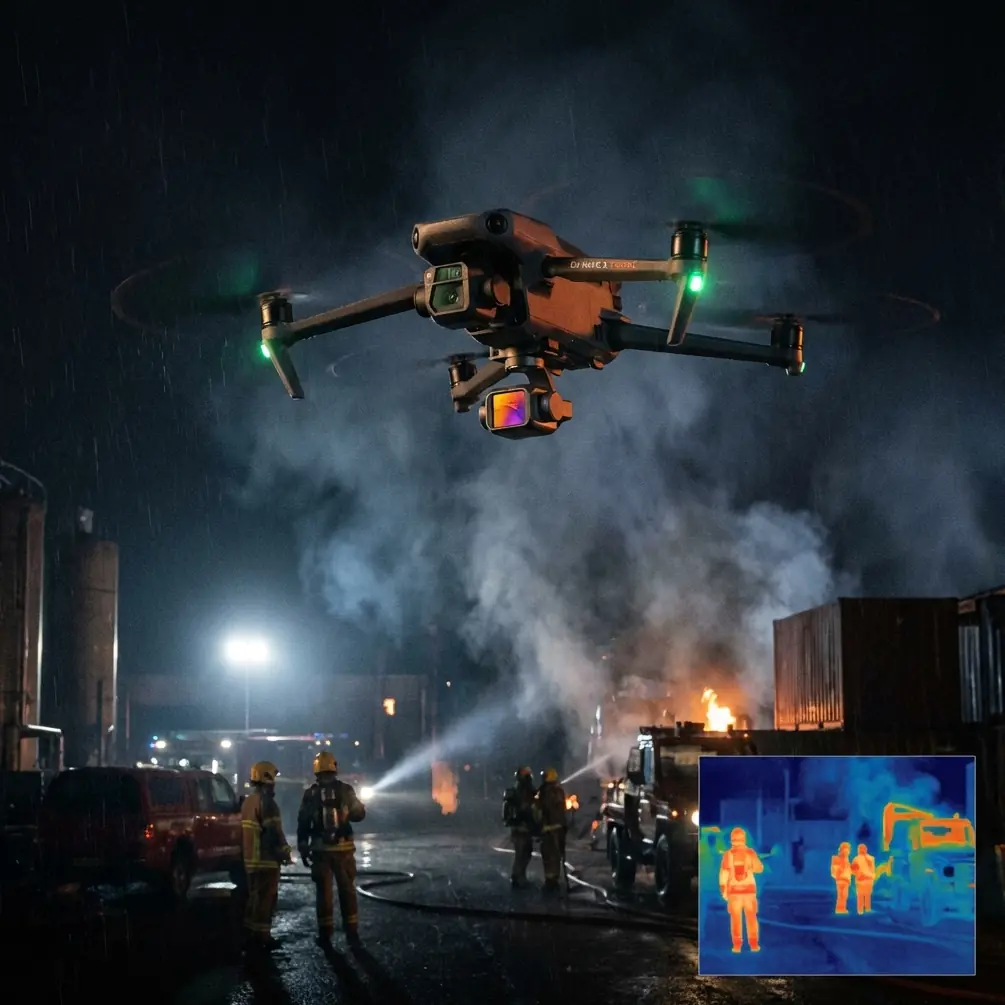
Neo 2 on Windy Construction Sites: What Actually Matters in a Maker-Lab Training Context
META: A case-study style look at Neo 2 for windy construction-site monitoring, tied to China’s maker education and innovation policy framework, with practical insight on obstacle avoidance, tracking, and training value.
Wind is where a lot of drone marketing starts to fall apart.
On a calm demo day, almost any modern small UAV can look capable. Put that same aircraft over an active construction site with gusts bouncing off unfinished concrete cores, tower cranes, scaffolding, and temporary structures, and the real differences show up fast. Stability, pilot workload, subject retention, obstacle behavior, and the quality of footage you can actually use all become more important than headline specs.
That is where Neo 2 becomes interesting—not only as a compact aircraft for site observation, but as a teaching platform inside the broader maker-lab and innovation education environment that many Chinese schools and colleges have been building toward for nearly a decade.
This matters because the reference framework behind maker education in China was never just about putting gadgets in a room. The policy direction was much more specific: use technology to support interdisciplinary learning, strengthen information literacy, and connect innovation activity with practical application. One of the clearest signals came in 2016, when the Ministry of Education’s Education Informatization “13th Five-Year Plan” called on qualified regions to actively explore information technology in maker spaces, STEAM learning, and maker education, with the goal of improving students’ information literacy, innovation awareness, and innovation capability. That is not abstract language. It describes exactly the kind of operational environment where a drone like Neo 2 can earn its place.
A Windy Site Is a Better Classroom Than a Calm Playground
Let’s start with the scenario.
A training cohort—secondary, vocational, or university level—is learning how to monitor progress on a construction site exposed to regular wind. The task is civilian and practical: capture repeatable aerial views of material staging zones, façade progress, roof work, access roads, and perimeter changes without creating excessive complexity for the operator. The drone is not there for cinematic vanity. It is there to produce reliable observation and teach structured decision-making.
Why use Neo 2 here instead of a bulkier platform?
Because training value often increases when the aircraft lowers setup friction. Students or trainees can focus on mission logic: where to launch, how to compensate for wind over structures, when tracking is useful, when manual framing is safer, how obstacle sensing influences route choices, and how to build a visual record that can be compared over time. A smaller platform also fits the spirit of maker-space deployment. It is easier to integrate into a lab, easier to cycle among student teams, and generally better aligned with project-based instruction than a system that requires a much heavier operational footprint.
This is where the policy background becomes operational rather than symbolic.
Back in 2015, the State Council’s Implementation Opinions on Deepening Innovation and Entrepreneurship Education Reform in Higher Education Institutions laid out a full deployment for innovation and entrepreneurship education reform. Then, in 2015.12, the Ministry of Education pushed the agenda further by requiring that from 2016 onward all universities establish innovation and entrepreneurship education courses. That timeline matters. It shows a shift from encouragement to institutionalization. If a university or vocational program is designing a drone workflow around Neo 2 today, it is not improvising outside the educational mission. It is stepping directly into a framework that has already linked technology, innovation training, and applied problem-solving.
Why Neo 2 Fits Construction Monitoring Better Than Feature-Heavy Competitors in Training Environments
Many drones compete by piling on complexity. On paper, that can look impressive. In training and windy site work, it can backfire.
Neo 2 stands out when its features reduce cognitive load instead of increasing it.
Take obstacle avoidance. On a construction site, this is not a luxury feature. It is a workload-management tool. Wind near partially enclosed structures creates drift patterns that newer pilots routinely underestimate. Add steel members, temporary lifts, safety netting, and vertical clutter, and small control corrections become constant. A drone with useful obstacle handling gives the operator another layer of protection when holding a line near complex geometry. More importantly, it changes how an instructor can teach. Instead of spending every session on pure avoidance anxiety, instructors can spend more time on site reading, hazard mapping, and image planning.
Now look at subject tracking and ActiveTrack in that same environment. Competitors often advertise tracking as if it were just for action sports. On a construction project, the better use is procedural: following a moving vehicle along a designated route, documenting a mobile crane setup zone from offset angles, or maintaining visual continuity on a façade inspection pass while the aircraft compensates for pilot movement and wind corrections. Good tracking is not about novelty. It is about reducing frame loss while the operator manages airspace, wind, and safety boundaries.
Neo 2’s advantage in this context is that these automation features can support repeatability without turning the mission into a black box. That distinction is crucial in education. Students need to understand what the aircraft is doing and why. A drone that automates too aggressively can hide the lesson. A drone that automates usefully can sharpen it.
The Real Use of QuickShots and Hyperlapse on a Jobsite
Construction professionals sometimes dismiss QuickShots and Hyperlapse as social-media tools. That is short-sighted.
In a training or site-documentation context, QuickShots can serve as prebuilt motion templates that help novice operators understand spatial storytelling. A circular reveal around a structural core, a pull-back showing access constraints, or a rising shot over a materials yard can communicate site conditions faster than a flat overhead still. When wind is present, having predefined movement logic also reduces the chance that a trainee improvises a poor flight path too close to obstacles.
Hyperlapse is even more underrated for project observation. Time-compressed motion can reveal workflow patterns that a standard clip will miss: delivery congestion, crew sequencing, changing shadows over façade work areas, or the interaction between wind and suspended materials handling. In a maker-lab setting, that becomes a multidisciplinary teaching asset. Civil engineering students, construction management trainees, and digital media learners can all pull different value from the same capture session.
That links back directly to the STEAM and maker-education emphasis in the policy references. The Ministry of Education’s guidance in 2015.9 highlighted the effective use of information technology to advance “众创空间” construction and explore STEAM education and maker education. A drone mission over a windy construction site is a textbook example of that principle in action: engineering judgment, environmental analysis, image capture, data interpretation, and communication all intersect in one exercise.
D-Log Is Not Just for Colorists
If the footage is meant to support real site review, D-Log deserves more attention than it usually gets.
Construction sites are visually brutal for small cameras. Bright concrete, reflective metal, dark recesses, netting, glass, and abrupt sky transitions all fight for dynamic range. In windy conditions, the operator may not have the luxury of hovering forever to expose each angle perfectly. D-Log gives more grading latitude later, which means the footage has a better chance of preserving useful shadow and highlight information for analysis.
That becomes more than a creative preference when the footage is used in training or presentations. Students can compare standard profiles with D-Log workflows and see how capture choices affect downstream interpretation. Was that crack shadow visible? Can the progress marker on the upper level be distinguished from background clutter? Does the clip hold enough tonal detail for a planning meeting slide deck? Those are applied media questions with operational consequences.
Again, this fits the educational policy architecture better than many people realize. The national push was not simply to promote entrepreneurship as a slogan. The 2015.6 State Council opinion on advancing mass entrepreneurship and innovation aimed to fold entrepreneurial spirit and capability-building into the national education system in a more structured way. A drone program built around repeatable site monitoring, content processing, and presentation does exactly that: it teaches students how technology becomes a workable service, not just a toy.
A Case Study Lens: Neo 2 in a Maker-Lab Construction Monitoring Module
Imagine a vocational college running a six-week module inside a maker laboratory.
Week one is regulatory awareness, mission planning, and wind assessment. Week two introduces obstacle avoidance behavior near fixed structures. Week three moves into ActiveTrack and subject tracking for controlled mobile assets. Week four covers D-Log capture and post-processing. Week five explores QuickShots and Hyperlapse as communication tools for progress reporting. Week six asks student teams to produce a site-monitoring package that combines safe flight planning with useful visual outputs.
That module is not accidental. It mirrors the policy progression seen across the references:
- 2015.5: broad higher-education innovation and entrepreneurship reform deployment.
- 2015.7: support for maker spaces, social labs, and new forms of innovation space using the open strengths of the internet.
- 2015.12 and from 2016 onward: innovation and entrepreneurship coursework required across universities.
- 2016.6: active exploration of information technology in maker spaces, STEAM, and cross-disciplinary learning.
- By 2020: the State Council’s guidance envisioned a large number of maker spaces with strong professional service capability that effectively meet mass innovation and entrepreneurship needs.
Neo 2 makes sense inside that chain because it is easy to place at the center of a practical workflow. Students are not just flying. They are planning, documenting, reviewing, and presenting. The aircraft becomes a node in a larger innovation system.
What Wind Changes on Site, and Why Neo 2’s Feature Mix Helps
Wind on a construction site is rarely uniform. That is the first lesson.
At ground level, conditions may feel manageable. Twenty meters up, between structures, airflow can accelerate or curl unpredictably. Along roof edges and open shafts, vertical disturbances can unsettle framing. Around cranes and scaffold-wrapped elevations, the visual environment can trick less experienced pilots into poor spacing decisions.
This is where Neo 2’s feature balance matters more than maximum-spec comparisons.
A competitor may offer impressive raw performance but ask too much of a novice user under turbulent conditions. Another may have attractive automated modes but poor practical usability in clutter. Neo 2, in this scenario, excels when it lets an operator move from basic observation to structured capture without changing platforms or teaching philosophy. Obstacle avoidance helps protect margins. ActiveTrack and subject tracking help maintain continuity. QuickShots and Hyperlapse help package information. D-Log helps preserve useful image detail. Together, they support a workflow rather than a one-off flight.
For institutions or site teams trying to design that workflow well, it can be useful to discuss mission setup with people who understand both drone operations and educational deployment. If that’s the conversation you need, you can reach out on WhatsApp for a practical Neo 2 workflow discussion.
The Bigger Story Behind Neo 2 in This Context
The most interesting thing about Neo 2 here is not that it flies in wind. Plenty of drones can claim that in broad terms.
The bigger story is that Neo 2 fits a specific Chinese educational and innovation logic that has been building since 2015: create environments where technology supports hands-on, interdisciplinary problem solving; formalize innovation and entrepreneurship learning; use maker spaces as active platforms rather than decorative rooms; and connect digital tools to real-world needs.
A windy construction site is a demanding test bed for that philosophy. It asks whether students can turn UAV features into useful outcomes. It asks whether a training program can bridge media capture, engineering awareness, and operational judgment. It asks whether a maker lab can produce not just excitement, but competence.
That is why Neo 2 deserves attention in this niche. Not because it is trendy, and not because every automated mode is inherently valuable, but because its capabilities map well to the exact kind of applied learning and civilian site observation that the policy references were pushing institutions toward.
When a drone helps a student team document progress safely, explain what changed on site, and understand why certain capture decisions held up in gusty conditions, the technology has done something worthwhile. It has moved from demo object to working instrument.
Ready for your own Neo 2? Contact our team for expert consultation.