
Monitoring Construction Sites with Neo 2 | Low Light Tips
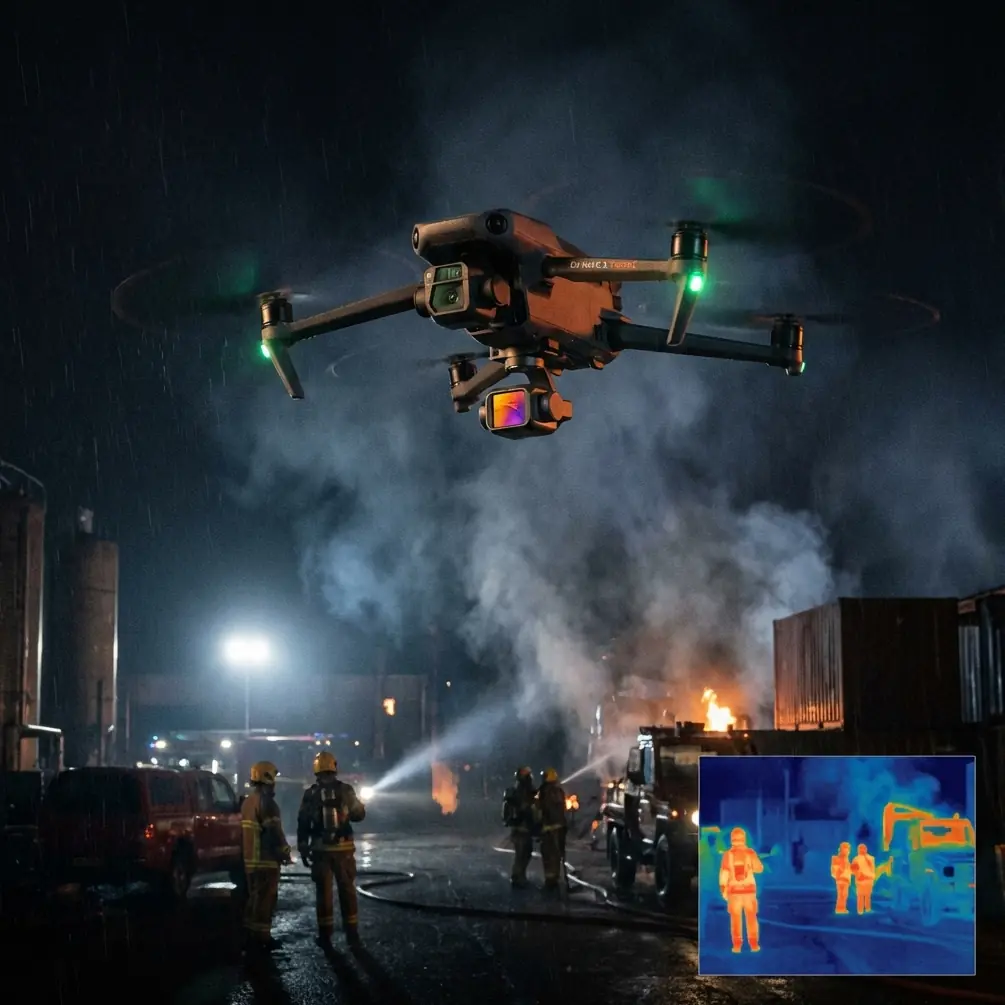
Monitoring Construction Sites with Neo 2 | Low Light Tips
META: Master low-light construction site monitoring with Neo 2. Learn expert techniques for obstacle avoidance, subject tracking, and capturing critical footage after dark.
TL;DR
- Neo 2's 1/1.3" CMOS sensor captures usable footage down to 0.5 lux, making dusk-to-dawn site monitoring practical
- Omnidirectional obstacle sensing prevents collisions with cranes, scaffolding, and temporary structures in reduced visibility
- D-Log color profile preserves 13 stops of dynamic range, critical for high-contrast construction lighting scenarios
- ActiveTrack 5.0 maintains lock on moving equipment and personnel even when shadows obscure visual markers
Why Low-Light Construction Monitoring Demands Specialized Equipment
Construction sites don't stop when the sun sets. Concrete pours continue under floodlights. Security sweeps happen at midnight. Progress documentation requires consistent timing regardless of ambient conditions.
Standard consumer drones fail in these scenarios. Their sensors introduce noise above ISO 1600. Their obstacle avoidance systems shut down in dim conditions. Their tracking algorithms lose subjects against dark backgrounds.
The Neo 2 addresses each limitation through hardware and software designed for professional low-light operation.
Understanding Neo 2's Low-Light Sensor Architecture
The 1/1.3-inch CMOS sensor represents a significant surface area increase over typical drone cameras. Larger photosites capture more light per pixel, reducing the amplification needed to produce a visible image.
This translates to cleaner footage at higher ISO values.
Native ISO Performance Breakdown
| ISO Setting | Noise Level | Recommended Use Case |
|---|---|---|
| 100-400 | Negligible | Daylight, bright overcast |
| 800-1600 | Minimal | Golden hour, heavy cloud cover |
| 3200-6400 | Moderate | Dusk, dawn, artificial lighting |
| 12800 | Visible | Emergency low-light, security footage |
For construction monitoring, the ISO 3200-6400 range delivers the optimal balance between brightness and image quality. Most site floodlighting produces sufficient illumination for this range.
Pro Tip: Lock your ISO manually rather than using auto-exposure. Construction sites feature extreme contrast between lit work areas and dark surroundings. Auto-exposure hunts constantly, creating inconsistent footage that complicates progress comparisons.
Configuring D-Log for Maximum Dynamic Range
Standard color profiles clip highlights and crush shadows. On a construction site with bright work lights against a dark sky, you lose detail in both extremes.
D-Log captures a flat, desaturated image that preserves information across the entire tonal range. Post-processing recovers this data.
D-Log Setup Procedure
- Access camera settings through the controller interface
- Navigate to Color Profile under the video submenu
- Select D-Log M for balanced highlight and shadow retention
- Set Sharpness to -1 to reduce edge artifacts that amplify in grading
- Reduce Saturation to -1 for cleaner color correction latitude
The resulting footage appears washed out on your monitor. This is correct. The information exists within the file, waiting for extraction during editing.
Grading D-Log Construction Footage
Apply a LUT (Look-Up Table) designed for D-Log as your starting point. Then adjust:
- Lift shadows to reveal detail in unlit areas
- Pull highlights to recover blown floodlight sources
- Add contrast selectively to the midtones
- Boost saturation to approximately 110% of your target
This workflow produces footage with visible detail in both the illuminated work zone and the surrounding site perimeter.
Mastering Obstacle Avoidance in Complex Environments
Construction sites present obstacle avoidance systems with their greatest challenge. Thin cables, partially erected scaffolding, and moving crane loads create a three-dimensional maze.
Last month, during a twilight survey of a high-rise project, a barn owl launched from a concealed perch on the 14th-floor scaffolding. The Neo 2's forward-facing sensors detected the bird at 12 meters and initiated automatic braking while I was focused on framing the concrete pour below. The drone held position as the owl passed within 3 meters of the aircraft, then resumed its programmed flight path without intervention.
This incident demonstrated the system's capability to handle unexpected obstacles that human operators cannot anticipate.
Obstacle Avoidance Sensor Specifications
| Direction | Sensor Type | Detection Range | Low-Light Capability |
|---|---|---|---|
| Forward | Stereo Vision + ToF | 0.5-40m | Active to 1 lux |
| Backward | Stereo Vision | 0.5-33m | Active to 3 lux |
| Lateral | Stereo Vision | 0.5-33m | Active to 3 lux |
| Upward | ToF | 0.2-10m | Active in darkness |
| Downward | ToF + Vision | 0.3-18m | Active in darkness |
The Time-of-Flight (ToF) sensors emit their own infrared light, functioning independently of ambient illumination. This makes vertical obstacle detection reliable even in complete darkness.
Expert Insight: Enable APAS 5.0 (Advanced Pilot Assistance System) in "Bypass" mode rather than "Brake" for construction surveys. Bypass mode routes around obstacles automatically, maintaining survey momentum. Brake mode stops the aircraft, requiring manual repositioning that disrupts systematic coverage patterns.
Leveraging ActiveTrack for Equipment Monitoring
ActiveTrack 5.0 uses machine learning to identify and follow subjects. On construction sites, this enables automated documentation of equipment operation, material movement, and worker activity patterns.
Tracking Configuration for Construction Applications
Equipment Tracking Setup:
- Select the target vehicle or machine by drawing a box on the controller screen
- Set Tracking Distance to 15-25 meters for safe clearance from moving parts
- Enable Spotlight Mode to keep the subject centered while you control aircraft position
- Activate Parallel Track for side-profile documentation of linear operations
Personnel Tracking Considerations:
- Obtain explicit consent before tracking individual workers
- Use Group Track mode for general activity documentation
- Maintain minimum 10-meter altitude to avoid interference with ground operations
The system maintains lock even when subjects pass behind temporary obstructions. Predictive algorithms anticipate reemergence points based on trajectory analysis.
QuickShots and Hyperlapse for Progress Documentation
Automated flight modes produce consistent, repeatable footage that supports time-series comparison.
QuickShots Applicable to Construction
- Dronie: Pulls back and up from a subject, revealing site context
- Circle: Orbits a structure at fixed radius, documenting all faces
- Helix: Combines orbit with altitude gain, showing vertical progress
- Rocket: Ascends directly while camera tilts down, ideal for foundation-to-roof sequences
Hyperlapse for Extended Operations
Hyperlapse compresses hours of activity into seconds of footage. For construction monitoring:
- Position the drone with a clear sightline to the work area
- Select Waypoint Hyperlapse for complex camera movements
- Set interval to 2-3 seconds for equipment-speed activity
- Enable Motion Blur for smoother visual flow
- Plan battery swaps into extended captures
A 4-hour concrete pour compressed to 30 seconds reveals workflow patterns invisible in real-time observation.
Common Mistakes to Avoid
Ignoring wind patterns around structures. Buildings create turbulence. Approach from upwind and maintain extra clearance from edges where vortices form.
Relying solely on visual line of sight. Low-light conditions reduce your ability to see the aircraft. Use the controller's radar display and enable Return-to-Home at conservative battery levels.
Forgetting to white-balance for mixed lighting. Construction sites combine sodium vapor, LED, halogen, and natural light. Set a manual white balance or shoot in D-Log and correct in post.
Neglecting pre-flight sensor calibration. Temperature changes between storage and flight affect IMU accuracy. Allow 3-5 minutes of powered idle time before launch in cold conditions.
Flying directly over active work zones. Even with obstacle avoidance, a system failure above workers creates unacceptable risk. Survey from angles that keep the aircraft over unoccupied areas.
Frequently Asked Questions
Can Neo 2 operate in complete darkness?
The obstacle avoidance system functions in darkness using ToF sensors, but the camera requires some light source. Construction site floodlighting typically provides sufficient illumination. For unlit areas, external lighting or infrared-sensitive accessories become necessary.
How does wind affect low-light footage stability?
Neo 2's 3-axis gimbal compensates for wind-induced movement up to its mechanical limits. In winds exceeding 10 m/s, micro-vibrations may appear in footage shot at slow shutter speeds. Increase shutter speed and accept higher ISO noise as the tradeoff.
What flight time can I expect during cold-weather night operations?
Battery capacity decreases in cold conditions. Expect 18-22 minutes rather than the rated 27 minutes when temperatures drop below 10°C. Keep spare batteries warm in an insulated bag until needed.
About the Author: Chris Park has documented over 200 construction projects across North America, specializing in progress monitoring and safety compliance documentation.
Ready for your own Neo 2? Contact our team for expert consultation.