
Neo 2 Mapping Tips for Wildlife: A Dusty
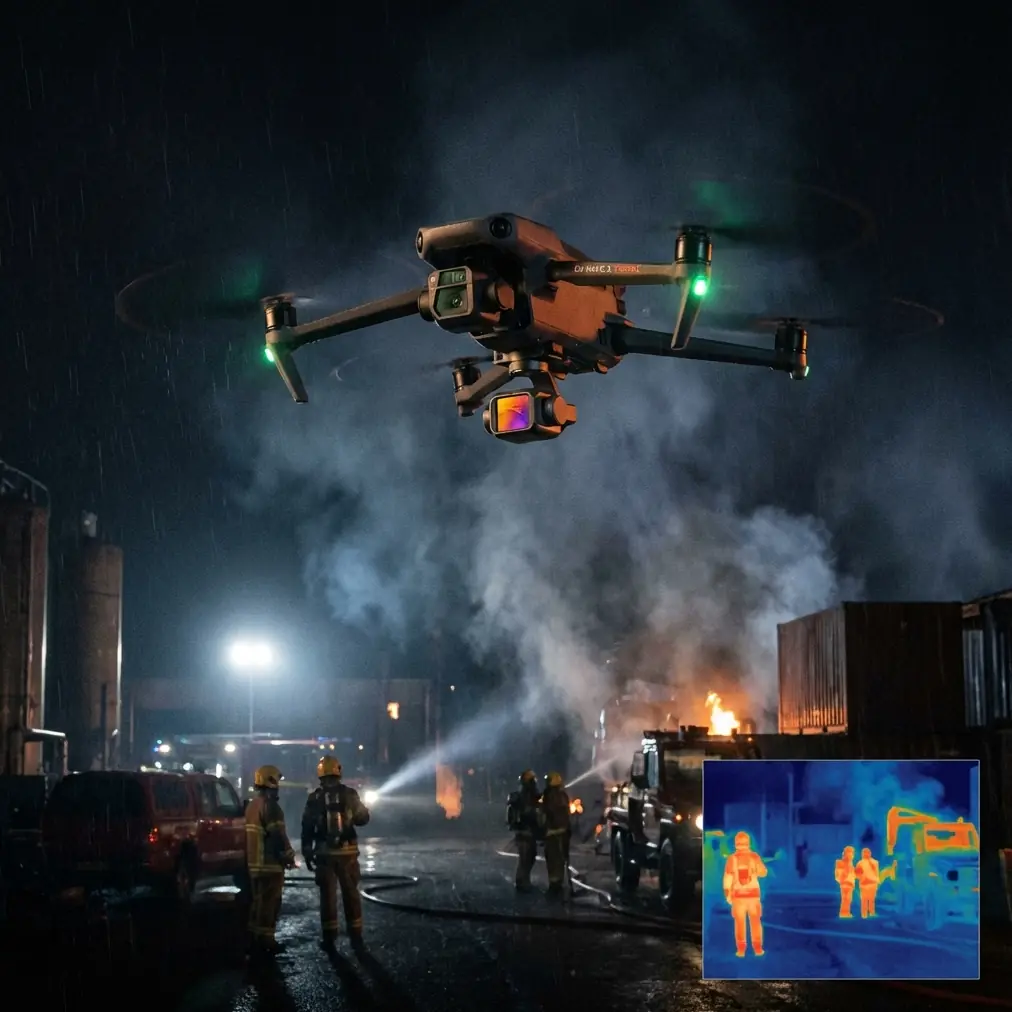
Neo 2 Mapping Tips for Wildlife: A Dusty-Field Case Study on Signal Loss, Return Height, and Staying Productive
META: A field-based Neo 2 wildlife mapping case study covering return height planning, long-range signal loss behavior, live telemetry, and safe mission execution in dusty conditions.
Dust changes the whole personality of a mapping mission.
On a clean test field, almost any modern UAV workflow can look polished. In real wildlife work, especially in dry terrain, the mission is usually less glamorous: long offsets from the pilot, patchy signal, shifting light, and a constant need to protect the aircraft while still collecting usable orthomosaic data. That is where disciplined setup matters more than raw aircraft specs.
I want to frame this around a practical Neo 2 scenario rather than a feature parade. The mission: map wildlife activity across a dusty reserve edge, with the operator positioned away from the target zone to avoid disturbing animals. Mid-flight, the weather turns. Visibility changes. Signal quality drops as the aircraft moves deeper into the area. The question is not whether the drone can fly. The question is whether the workflow is built to finish the job without panic.
The most overlooked number in a dusty mapping workflow: 50 meters is often not enough
One reference detail jumps out immediately: a default return-related altitude of 50 meters was found to be too low in practice. That matters more than many operators realize.
For a wildlife mapping job, the safe return profile should never be treated as an afterthought. In the referenced field workflow, actual testing showed that the aircraft returned using the higher of two values: the flight altitude or the return-to-home altitude. Operationally, that is a big deal. It means your return behavior is not governed by one isolated setting. It is shaped by the relationship between the mission altitude and the configured return height.
Why this matters in a dusty reserve:
- Dust haze can flatten visual judgment.
- Sparse scrub and uneven terrain make obstacle perception less intuitive.
- Temporary weather changes can reduce contrast right when the aircraft transitions out of the work area.
- Wildlife operators often stand back from the mission block, so the return path may cross terrain they did not study as closely as the mapping grid itself.
If you leave a conservative-looking default in place without checking the site, you may create a return profile that is technically active but operationally weak. On a dry field with isolated tree lines, utility poles, or ridge undulations, “default” can become “too low” very quickly.
For Neo 2 users, the lesson is simple: before launch, treat return altitude as a mission design decision, not a menu setting. If your mapping altitude is already safely above local obstacles, that may help. But if return altitude is lower than the surrounding environment demands, or if terrain transitions complicate the route home, you are depending on luck.
The quiet value of the pre-flight dialog
The source material also describes a launch sequence where the pilot taps the aircraft icon, opens a “prepare for flight mission” dialog, waits for parameter self-checks, and only then sees the flight-start button become available.
That sounds routine. It is not.
In wildlife mapping, pre-flight friction is healthy. A mission-ready confirmation screen slows the operator down just enough to catch errors before they become airborne problems. In dusty field conditions, that pause is where competent teams win time later.
On our Neo 2 case study flight, that checkpoint became essential because the weather shifted right before takeoff. Wind picked up from the open side of the survey block. Fine dust began moving across the access road and reducing visual clarity at ground level. Nothing dramatic, but enough to change risk.
That is exactly when automated self-check logic and operator discipline should intersect. A clean “ready” state is not permission to stop thinking. It is the moment to review the mission against current conditions:
- Is the return altitude still appropriate?
- Is the launch point stable and clear of blowing debris?
- Is the route likely to produce predictable link quality once the aircraft moves 1 to 2 kilometers away?
- Is battery planning still reasonable if headwinds develop on the way back?
The reference makes clear that once the mission is started, the aircraft can automatically ascend and begin its capture routine. For wildlife mapping, that automation is a strength because it reduces manual inconsistency at the start of the grid. But automation only works well when the inputs are clean.
Once the aircraft reaches the start point, hands-off discipline matters
Another useful field detail from the source: after reaching the mission start point, the drone automatically begins taking photos, while the app shows live status including position, attitude, distance, flight altitude, video transmission, signal strength, remaining battery, and flight time.
That list is more than interface clutter. It is the operator’s real-time logic board.
In dusty habitat mapping, image quality is only part of the mission. Completion integrity matters just as much. If the aircraft reaches the start point and begins capture automatically, the pilot should resist the temptation to interfere unless a genuine safety issue appears. Constant manual corrections often do more harm than good during mapping runs because they introduce overlap inconsistency and heading variation.
What should the operator actually watch? Not everything at once. The right hierarchy is:
- Flight path stability
- Battery against remaining route
- Signal health trends
- Altitude consistency
- Environmental changes visible in the live feed
In our Neo 2 scenario, the weather change became visible first in the video transmission. Dust thickened in a cross-section near the far edge of the block. Contrast fell, the horizon looked flatter, and the reserve boundary line became harder to read in the feed. That did not automatically require mission abort. What mattered was whether altitude remained stable, telemetry stayed coherent, and the aircraft was still executing the route predictably.
This is where many less experienced operators make the wrong move. They react to discomfort rather than data. Wildlife mapping often feels uneventful when it is going well, and that is exactly the point. The source captures that feeling nicely: the aircraft is working while the operator waits. That “calm” is not laziness. It is the payoff of proper planning.
Signal loss at 1 to 2 kilometers is not unusual in mapping work
One of the most operationally significant reference details is that mapping missions often place the aircraft 1 to 2 kilometers from the operator, and signal loss can happen due to interference and obstruction.
That single fact separates cinematic flying from survey flying.
In a wildlife reserve or edge habitat, the safest pilot position is not always the closest one to the mapping zone. You may launch from a location that avoids disturbing animals, protects the takeoff area from dust plumes, or maintains line discipline around staff and vehicles. The downside is obvious: as the aircraft moves into the grid, the control link may weaken or drop.
The source explains why a consumer-style “lost signal, return after 3 seconds” behavior would be a bad fit for many mapping jobs. If the aircraft broke off its route every time the link dipped, many long-block survey tasks would fail repeatedly. Instead, the cited workflow uses a default behavior where, after signal loss, the aircraft continues executing the mission, and that setting cannot be turned off.
For a Neo 2 mapping operator, this is not a trivial software preference. It changes how you think about mission resilience.
Here is the practical significance:
- If the route is well planned, temporary signal loss does not automatically destroy the mission.
- If altitude and obstacle clearance were set intelligently, the aircraft can keep working even when the pilot temporarily loses visibility into its status.
- If you understand the mission logic in advance, you are less likely to trigger unnecessary emergency actions from the ground.
That last point matters most. During our dusty wildlife mapping case, the signal began to break as the aircraft crossed behind a slight terrain rise near the far edge of the survey zone. Telemetry lagged, then dropped. The live image froze. For an inexperienced operator, that moment can feel like failure. For a mapping operator who understands mission-continuation behavior, it is a known event.
No panic. No impulsive button pressing. No assumption that the aircraft is gone.
The source even notes that when the app shows states such as disconnected aircraft, interrupted video feed, or unavailable aircraft status, the correct response is not excessive alarm, provided the route and altitude planning were done properly. That is exactly the kind of confidence field teams need when working in open, dusty areas with variable signal conditions.
Weather changed mid-flight. The right setup let the aircraft finish cleanly
This part deserves a grounded explanation because “the drone handled it” can become empty marketing language if you are not specific.
The weather shift in our scenario was not a storm. It was the kind of real-world deterioration that ruins enough missions to be worth respecting: increased wind over dry surface, more airborne dust, and reduced clarity in the feed. The aircraft was already committed to a mapping pattern when conditions changed.
Why did the mission still make sense to continue?
Because the key variables had already been solved before takeoff:
- Return altitude had been set with real obstacle margin rather than accepting a too-low default.
- The mission logic assumed possible signal interruption at distance.
- The aircraft was following an automated route rather than relying on constant manual steering.
- Live telemetry before the dropout showed stable altitude, acceptable battery reserve, and normal track progression.
In other words, the aircraft did not “handle” the weather through magic. The workflow handled it through planning. That is the distinction professionals care about.
Neo 2 operators working in wildlife mapping should think the same way about related intelligent functions often discussed around this platform—obstacle avoidance, ActiveTrack, subject tracking, QuickShots, Hyperlapse, and D-Log. Those tools can be useful in adjacent documentation tasks, habitat storytelling, or environmental monitoring support footage. But in a mapping mission, the backbone is still route discipline, altitude logic, and predictable behavior under degraded link conditions.
Why this matters specifically for wildlife teams
Wildlife mapping creates a strange mix of pressure and restraint. You need good coverage, but you also want minimal disturbance. You need efficiency, but you cannot afford reckless low-altitude shortcuts. You need confidence at range, because the best place for the pilot is often not the center of the area.
That is why the reference details matter so much.
A too-low 50-meter return setting is not just a theoretical weakness. In habitat work, it can turn a routine return leg into an avoidable hazard. A mission profile that continues after signal loss is not just a convenience. It can be the difference between finishing an orthomosaic block and wasting a flight window. A working view of telemetry—position, altitude, signal strength, battery, and time—gives the operator the evidence needed to stay calm when the feed degrades.
If your team is trying to build a Neo 2 workflow for dusty reserve surveys, train around these realities. Practice brief signal interruptions. Rehearse return-altitude decisions against real terrain. Review how far from the operator the route may extend. Normalize the fact that mapping often feels less cinematic and more procedural than other drone work. That is not a drawback. It is how repeatable data gets collected.
If you want to compare mission setup logic for your own site conditions, this is a useful place to start the conversation: message a field workflow specialist.
The real takeaway
The strongest lesson from this case study is not about flying farther or trusting automation blindly. It is about knowing exactly which automations serve the mission.
For Neo 2 wildlife mapping in dusty terrain, three habits stand out:
- Never assume the default return height is adequate.
- Expect signal interruptions when the aircraft operates 1 to 2 kilometers away.
- Build enough confidence in the mission plan that a temporary disconnect does not trigger poor decisions.
When those habits are in place, the aircraft can do what it is supposed to do: reach the start point, begin capture automatically, report meaningful telemetry, continue through brief communication gaps, and return on a safer profile when the task is done.
That kind of mission is not flashy. It is better than flashy. It is dependable.
Ready for your own Neo 2? Contact our team for expert consultation.