
Neo 2 Best Practices for Mapping Highways in Dusty Condition
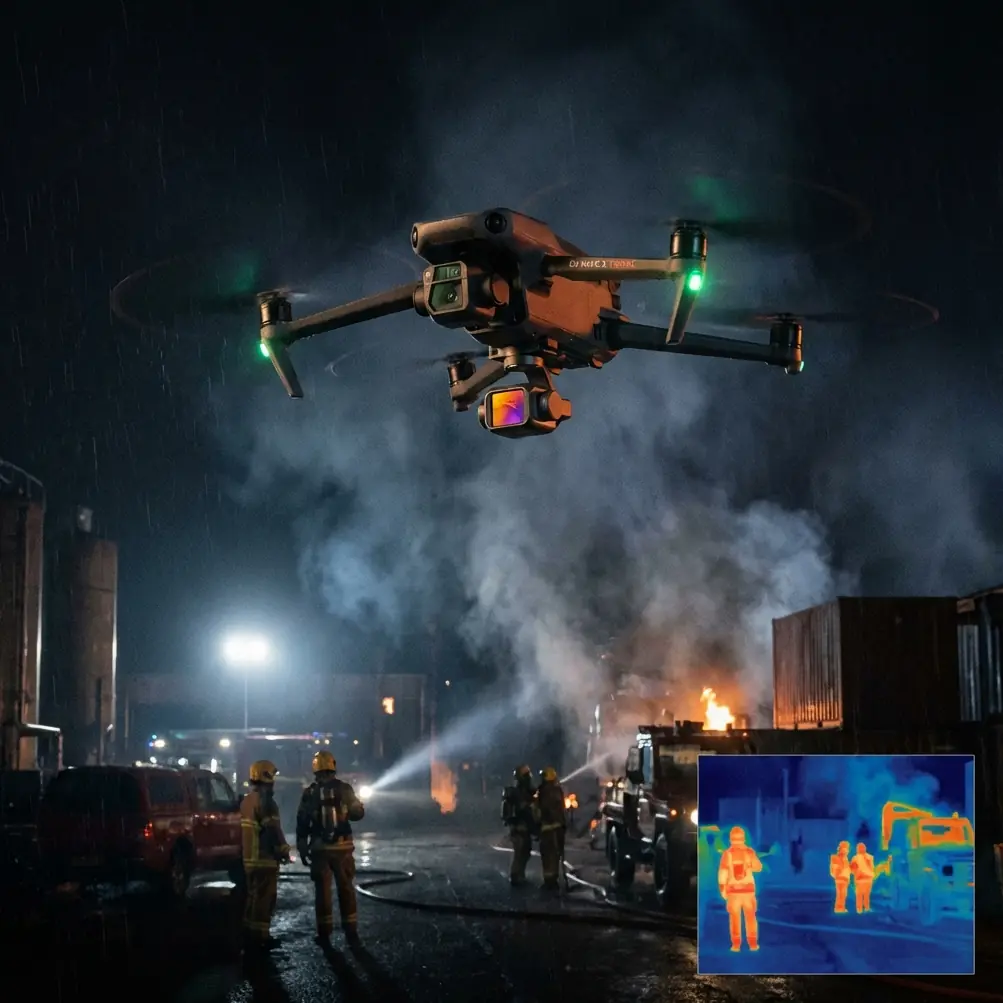
Neo 2 Best Practices for Mapping Highways in Dusty Conditions
META: Expert Neo 2 field guide for dusty highway mapping, covering obstacle avoidance, subject tracking, D-Log workflows, Hyperlapse planning, and practical flight techniques.
Highway mapping sounds straightforward until the environment starts fighting back. Fine dust softens contrast, traffic creates unpredictable airflow, and long linear corridors tempt pilots into repetitive flight patterns that hide small mistakes until they become expensive ones. I learned that the hard way on a roadside documentation job years ago, when half a day disappeared into cleaning gear, re-flying sections, and trying to salvage footage that looked flatter and hazier than it should have.
That experience changed how I approach compact drones for corridor work. And it is exactly why the Neo 2 deserves a closer look if your job involves mapping highways in dusty conditions.
This is not about treating the Neo 2 like a miracle tool. It is about understanding where a smaller aircraft can reduce friction, where its automated features genuinely help, and how to use those features without letting the flight become careless. For dusty highway operations, that distinction matters.
The real problem with dusty highway mapping
Dust does more than make footage look bad. It changes operational confidence.
On highways, you are often dealing with repeated launches, short repositioning hops, and long visual lines that seem simple until crosswinds push the aircraft laterally or passing vehicles kick debris into the air. The visual scene can become low-contrast very quickly. Lane markings fade into glare. Gravel shoulders throw texture into one frame and then disappear into a beige haze in the next. If you are documenting road edges, drainage issues, signage, or construction progress, inconsistency becomes the enemy.
The challenge is not just flying. It is collecting material that remains usable when you get back to the edit or handoff stage.
That is where the Neo 2’s mix of obstacle avoidance, subject tracking, QuickShots, Hyperlapse, D-Log, and ActiveTrack becomes operationally relevant. Not as buzzwords. As tools that solve repeat problems in the field.
Why the Neo 2 fits this type of work
A highway corridor is an awkward environment for many pilots because it combines open space with sudden hazards. You may have lots of sky, but that does not mean the route is clean. Sign gantries, light poles, overpasses, barriers, and roadside vegetation all create interruptions. A drone that can assist with obstacle awareness is useful here, especially when dust or flat afternoon light reduces depth cues.
Obstacle avoidance matters most in the moments between your “main” shots. That is the part people underestimate. The high-value footage might be a slow pass over a merge lane or a rise over an interchange, but the risk often shows up while repositioning, descending, or tracking along infrastructure at lower altitude. On a dusty day, visual perception is not always as crisp as you think it is. Any assistance that helps the aircraft interpret nearby structures can reduce workload and let the pilot focus more on mission intent.
Subject tracking and ActiveTrack also become more practical in highway work than many people assume. If you are following a support vehicle, inspecting a moving escort path, or maintaining a consistent relationship to a corridor feature, reliable tracking can save time and improve repeatability. I would not hand over full judgment to automation near active traffic, but I absolutely use tracking as a consistency tool when I need multiple passes with similar framing. It reduces the tiny human corrections that accumulate across a session and make datasets or visual deliverables harder to match.
The mistake I used to make
My old approach in dusty environments was to chase coverage aggressively. Launch, fly long, grab everything, move, repeat. It felt efficient. It was not.
Dust punishes that mindset because every rushed launch increases contamination risk, and every loosely planned flight adds more image inconsistency. I ended up with mixed exposure, uneven angles, and footage that looked like it came from different days.
With the Neo 2, the smarter play is to lean into structured capture. I now think in blocks: establish, inspect, track, and transition.
- Establish with a clean high overview.
- Inspect with slower, deliberate passes over features that matter.
- Track with automation where consistent motion helps.
- Transition with pre-planned route changes rather than improvising every move.
That is where QuickShots and Hyperlapse stop being “creative extras” and start becoming useful tools.
Using QuickShots without wasting battery or time
QuickShots can be dismissed as beginner modes, but that misses the point. For highway mapping or documentation, their value is repeatability.
If you need standardized reveal shots of an interchange, bridge approach, or lane expansion area, a pre-programmed camera move can produce a cleaner visual reference than a rushed manual orbit. The benefit is not novelty. The benefit is that the same type of movement can be repeated across locations, which helps when comparing project stages or building a presentation for stakeholders.
In dusty conditions, standardized moves also reduce the temptation to overfly an area repeatedly just to “get something nicer.” Fewer unnecessary passes means less exposure to airborne debris and less time hovering in unstable air near the roadway.
The trick is to use QuickShots selectively. I treat them as one-pass tools for overview sequences, not as the backbone of the mission. Get the establishing move, confirm visibility, then move into your task-specific captures.
Hyperlapse has real value on corridor projects
Hyperlapse is one of the most underused functions for infrastructure storytelling. On a highway project, it can compress traffic flow changes, staging progress, or weather-driven visibility shifts into a format that tells a story far better than isolated stills.
That matters when the audience is not a pilot. Engineers, planners, public agencies, and clients often need to understand sequence and movement. A Hyperlapse of a corridor segment can show how dust builds, how traffic density changes, or how a work zone behaves over time.
Operationally, Hyperlapse also forces better discipline. You cannot treat the airspace casually if you want a stable, coherent time-compressed sequence. You need a defined route, steady altitude logic, and awareness of scene interruptions. That planning mindset improves the rest of the flight too.
For dusty highway environments, I prefer using Hyperlapse during periods when the light is stable and traffic movement is meaningful but not chaotic. Midday can create harsh glare and flattened detail, while late afternoon may introduce long shadows that obscure shoulder edges or pavement defects. The exact timing depends on the site, but the principle stays the same: use Hyperlapse to communicate progression, not just motion.
Why D-Log matters when dust washes out the scene
If you have ever brought dusty road footage into post and found that the sky is clipped while the ground still looks lifeless, you already understand the case for D-Log.
Dust creates a deceptive image problem. The scene may not look extreme to your eye, but the camera sees a difficult mix of bright sky, reflective vehicles, pale road surfaces, and low-contrast haze. Standard profiles can make the result feel harsh and thin at the same time.
D-Log gives you more flexibility to recover a natural-looking image. That is especially helpful when the practical goal is interpretation. Maybe you need the shoulder texture to read clearly. Maybe the boundary between active lane and construction zone needs to remain visible. Maybe you want vehicle movement and road geometry to stay legible in the same frame. A flatter capture profile can preserve more usable information for those adjustments later.
This is not an invitation to “fix it in post.” You still need clean exposure discipline in the field. But D-Log gives you breathing room when dust reduces local contrast and makes the scene look more washed than it really is. For corridor documentation, that extra control often decides whether footage becomes reference material or dead storage.
Obstacle avoidance in a place that looks open but is not
One of the most misleading things about highway mapping is how open it appears from launch. From a distance, the route seems simple: a long line, broad sky, easy visibility. Then you start working near actual assets and the environment becomes crowded fast.
Light poles are the obvious hazard. Sign structures are worse because they interrupt travel paths at awkward heights. Overpasses create layered geometry and changing light. Sound barriers and trees can complicate return paths when you reposition lower than planned. In dust, those features can look softer and farther away than they are.
This is where obstacle avoidance earns its keep. It is not a substitute for route planning, and I would never use it as an excuse to fly lazily near infrastructure. What it does provide is a safety buffer against the small perception errors that happen when concentration splits between framing, traffic awareness, wind drift, and mission notes.
On a long corridor day, cognitive load is the hidden hazard. Obstacle assistance helps keep that load manageable.
Subject tracking and ActiveTrack for moving reference points
There are practical reasons to track movement on highway jobs. A support truck can act as a scale reference. An escort vehicle can help maintain consistent spacing during corridor capture. A moving subject can also provide a visual anchor when the landscape is repetitive and feature-poor.
ActiveTrack helps in those scenarios because it lets you define the relationship you want rather than manually rebuilding it every few seconds. That sounds small, but over multiple flights it becomes a major efficiency gain. Consistent framing improves comparison. Comparison improves decision-making.
The caution is obvious: highways are dynamic, and automation must stay subordinate to pilot judgment. I use tracking as a stabilizing layer, not as an excuse to stop thinking. Watch for merges, overpasses, sudden traffic behavior, and route edges. The value is consistency, not autonomy.
If you need help planning that kind of workflow for a specific corridor, this field support channel is a practical place to start: message our UAV team.
A field workflow that actually works
For dusty highway operations with the Neo 2, I keep the process lean.
First, I scout the corridor logic before launch. Not just where I want shots, but where dust will be worst, where structures interrupt clean lines, and where traffic airflow could destabilize lower-altitude passes.
Second, I separate mission goals. Mapping-style overviews are one task. Visual storytelling for reporting is another. Progress documentation is another again. Mixing them in one improvised flight usually weakens all three.
Third, I prioritize the cleanest captures early. Dust often worsens as site activity builds. If I need the sharpest overview of an interchange or shoulder condition, I get it before repeated takeoffs and vehicle movement contaminate the air further.
Fourth, I use automation where it serves consistency:
- Obstacle avoidance for safer repositioning.
- ActiveTrack or subject tracking for repeatable moving-reference shots.
- QuickShots for standardized reveals.
- Hyperlapse for time-based corridor context.
- D-Log when the visual range needs protection in post.
That combination turns the Neo 2 from a compact camera drone into a practical field instrument.
What made this model easier for me
The real improvement was not just one feature. It was how several features reduced friction at once.
In older workflows, each pass demanded more manual correction. I had to watch framing, route spacing, hazard proximity, and image compromise all at the same time. The Neo 2 makes those tasks easier to balance. Obstacle avoidance reduces the stress of working near roadside structures. ActiveTrack helps maintain consistency when following moving references. D-Log protects footage when dust makes the scene visually weak. QuickShots and Hyperlapse help produce standardized outputs that are actually useful for reports and progress communication.
That matters because mapping highways in dusty conditions is usually not a one-flight job. It is a repetition job. The drone that saves you small amounts of effort on every launch, every pass, and every edit often becomes the better professional tool, even before you talk about image quality in abstract terms.
And that is the key point. The Neo 2 is most useful here not because it makes the work look flashy, but because it makes difficult field conditions more manageable. That is a much more valuable trait.
If you fly highways long enough, you stop chasing the perfect hero shot. You start valuing predictable capture, cleaner datasets, safer route management, and footage that holds together in post. For dusty corridor operations, that is exactly where the Neo 2 can earn its place.
Ready for your own Neo 2? Contact our team for expert consultation.