
Neo 2 Field Report: Inspecting Windy Construction Sites
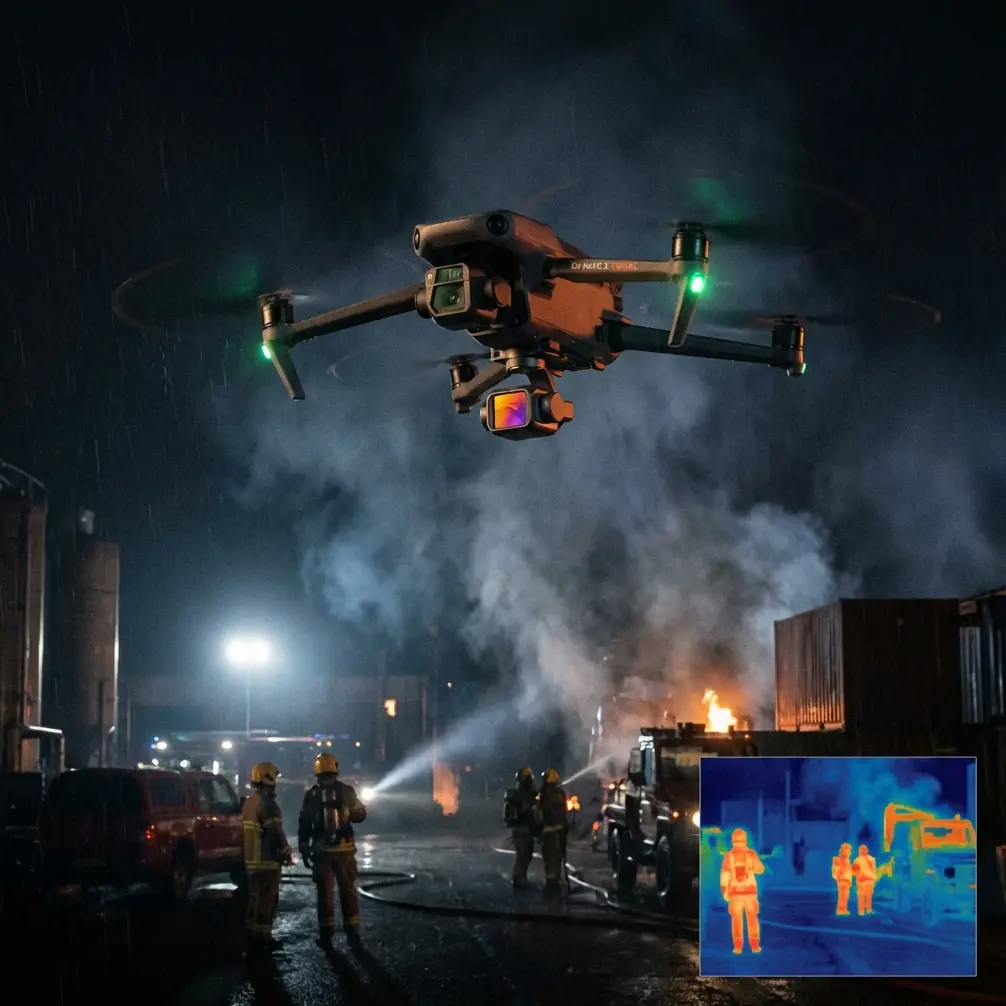
Neo 2 Field Report: Inspecting Windy Construction Sites Without Fighting the Aircraft
META: Practical Neo 2 construction site tips for windy conditions, with field-tested advice on obstacle avoidance, ActiveTrack, QuickShots, D-Log, and antenna positioning for stronger range.
Wind changes everything on a construction site.
Not just for the aircraft, but for the pilot’s decision-making. Gusts move dust, swing crane lines, shake temporary fencing, and create false confidence when a drone seems stable at takeoff but gets pushed hard once it rises above the roofline. That is where the Neo 2 stops being a spec-sheet conversation and starts becoming a workflow tool. For construction inspection in windy conditions, the real question is not whether the drone can fly. It is whether it can help you bring back usable, repeatable, decision-grade footage without wasting battery cycles correcting preventable mistakes.
I have spent enough time around active job sites to know that “windy” is rarely just one condition. There is open-lot wind, wind that wraps around unfinished structures, and the nasty kind that tumbles unpredictably between steel frames. Those differences matter when you are using a compact aircraft like the Neo 2 for progress documentation, facade checks, roofline review, punch-list visuals, or stakeholder updates.
This field report is built around that exact use case: inspecting construction sites when the air is messy, the environment is dynamic, and you still need reliable results.
Why the Neo 2 makes sense on a busy site
The strongest argument for the Neo 2 in construction is not raw speed or cinematic ambition. It is deployment speed and operational simplicity. On sites where conditions change by the minute, getting airborne quickly matters. If a crane begins moving material into your intended flight lane, or a concrete pour starts and vehicle traffic shifts, the drone that can be launched, repositioned, and recovered with minimal friction often wins.
That is where the Neo 2’s automated flight support features become more than convenience items. Obstacle avoidance reduces workload when you are operating near partially completed structures, scaffolding, lighting rigs, or utility poles. On a clean marketing shoot, that feature helps. On an inspection flight, it protects the mission. When the aircraft detects and reacts to hazards around protruding steel, temporary barriers, or unexpected equipment placement, you preserve attention for framing and route management instead of pure collision prevention.
ActiveTrack and subject tracking also have a direct role on construction sites, even though people often associate them with sports and lifestyle footage. If you need to follow a superintendent walking a perimeter, track a vehicle route through staging areas, or maintain a consistent moving perspective on exterior progress, automated tracking reduces the number of abrupt stick corrections that wind tends to exaggerate. That leads to smoother footage and fewer ruined passes.
The operational significance is simple: less pilot workload often means better inspection discipline.
Wind on construction sites is not uniform
A mistake I see often is pilots judging conditions from ground level and assuming those conditions hold across the whole site. They do not. A site with a low office trailer and an unfinished mid-rise can produce three different wind behaviors within a short horizontal distance. The Neo 2 may feel settled near launch, then encounter lateral gusts at the slab edge and vertical turbulence near exposed corners.
For that reason, my first pass is never the “important” pass.
I use an opening reconnaissance loop at a moderate altitude to read the air. Watch how the aircraft responds near corners, over open pits, and beside any structure that creates a funnel effect. If you see repeated attitude corrections in one segment, that is a clue to slow down, increase standoff distance, or change the direction of your inspection run. The aircraft might still hold position well, but the footage may tell you the air is unstable before your hands fully register it.
This is also where obstacle avoidance needs to be understood correctly. It is a valuable layer of protection, not permission to fly casually near structural clutter. On a construction site, partially installed materials can create irregular shapes and thin edges that are harder for any vision-based system to interpret consistently, especially with glare, dust, or changing light. Give the Neo 2 room to work. In wind, the buffer you think is generous on a calm day may be too small once a gust nudges the aircraft.
Antenna positioning advice for maximum range
If you want one habit that immediately improves control confidence, especially on larger sites, fix your antenna discipline.
Pilots talk about range as if it belongs entirely to the drone. It does not. A lot of range problems begin at the controller. When flying the Neo 2 around a construction site, position the controller antennas so the broad face of the antenna pattern is aimed toward the aircraft, not the tip. In practical terms, do not point the antenna ends like laser pointers at the drone. Angle them so the flat sides face the aircraft’s working area.
That matters because signal strength is strongest off the sides of most controller antennas, not straight off the tip. If you are inspecting a long building frontage, rotating your body and adjusting antenna orientation as the drone moves down the elevation can preserve a cleaner link than simply standing still and hoping the connection stays solid.
A few field habits help even more:
- Stand where you maintain the clearest possible line of sight over parked equipment, containers, and temporary structures.
- Avoid putting yourself directly behind rebar stacks, generators, steel site offices, or trucks.
- If the mission takes the drone behind a building edge, reposition yourself before the signal path gets compromised.
- Keep the controller at chest height rather than low by your waist, especially if the site is crowded with signal-blocking obstacles.
On a practical level, this can be the difference between a stable inspection run and a feed that starts to break up just as you approach the area you actually need to document. If you want a second set of field tips from someone who lives in this workflow, I keep a short checklist here: message me directly.
How to structure inspection flights when gusts are active
Wind punishes improvisation. The more repeatable your route design, the more likely you are to come back with footage that can be compared week to week.
I break site inspections into four flight types.
The first is the high overview orbit or perimeter sweep. This is where QuickShots can be useful, but only if the air is settled enough to trust automated motion. On windy days, I treat QuickShots as optional rather than essential. A controlled manual orbit often produces cleaner geometry around cranes, partially enclosed cores, and awkward setbacks. The point is not spectacle. The point is to show site context.
The second is the facade pass. Here, wind direction matters. Flying into a headwind on the outward leg and letting the tailwind assist the return can produce more predictable speed control than the reverse. If you start with the downwind pass, the aircraft may move faster than intended and push you into more braking corrections near corners. Those little corrections show up in the footage and can also reduce inspection consistency.
The third is the roof and upper-structure check. This is usually where turbulence is strongest. Slow your horizontal movement, increase your vertical separation from parapets and roof hardware, and resist the urge to cut too close for detail. It is better to capture one slightly wider clean pass than three unusable close passes with constant gust-induced wobble.
The fourth is the ground-to-structure relationship pass. This is valuable for project managers because it ties site logistics to build progress. You can reveal material staging, vehicle flow, temporary access changes, and safety perimeter placement in one sequence. ActiveTrack can help if you are following a moving vehicle route or a walking site lead, but test it first in an open section before using it around dense obstacles.
Camera settings that hold up under site conditions
Construction footage has a different job from social-first flying. It needs to preserve information.
That is why D-Log matters. If the Neo 2 gives you access to D-Log capture for your workflow, use it when the site has harsh contrast, which it often will. Bright concrete, reflective metal, white membranes, deep interior shadows, and dark staging areas can all exist in the same frame. A flatter capture profile gives you more room to recover highlight detail and maintain shadow information when reviewing facade defects, roof drainage paths, or material conditions later.
The operational value here is not abstract image quality. It is interpretability. If the sunny side of a building is clipped beyond recovery, you may lose surface detail that would have mattered in a progress report or inspection archive.
Hyperlapse can also be surprisingly useful on a construction site, but not in the usual dramatic sense. A controlled Hyperlapse from a repeatable vantage point can show pace of activity across a shift window or reveal traffic flow through a constrained site entrance. In wind, though, Hyperlapse is only worth attempting if the aircraft is holding position cleanly. If it is making frequent corrections, your resulting sequence can feel jittery and visually unreliable.
For straightforward inspection work, I lean toward stable, slower clips first and stylized motion second.
Using subject tracking without creating risk
Subject tracking on a construction site needs judgment. It is excellent for documenting movement patterns, especially when a human subject helps illustrate scale or route access. But this is not the place to become overconfident in automation.
If you are using ActiveTrack or another subject tracking mode to follow a walking foreman, a utility cart, or an inspection route, brief the subject first. Make sure they know their path and avoid sudden moves under overhangs, between closely spaced equipment, or into visually cluttered corridors where the drone may have trouble maintaining clear separation. On windy days, any automated tracking path should include extra lateral clearance because gusts can widen the aircraft’s movement envelope beyond what you expected from a calm-day test.
This is one of the most misunderstood aspects of site flying: automation lowers workload, but it does not eliminate planning. Used well, tracking tools make your documentation more consistent. Used casually, they compress decision time right when wind is already asking more of the pilot.
What a good Neo 2 windy-site mission actually looks like
A good mission does not feel dramatic while you are flying it.
You launch from a location with clean visibility and minimal interference. Antennas are oriented correctly. The first minute is a read of the air, not a rush toward the shot list. You identify where the gusts live. You stay conservative near structural edges. Obstacle avoidance remains active as a safety layer, not a crutch. Tracking features are used where they genuinely reduce workload. You choose D-Log because the footage may need real review later, not because flat footage sounds professional. QuickShots and Hyperlapse stay in the toolkit, but they do not dictate the mission.
Most of all, you respect the construction site as a changing environment rather than a backdrop.
That is the right way to think about the Neo 2 here. Not as a tiny camera that happens to fly, and not as a machine that solves every workflow problem on its own. It is a compact aerial platform that becomes especially useful when the pilot understands the environment, the radio link, the automation boundaries, and the visual purpose of each pass.
For windy construction inspections, that combination matters more than any headline feature ever will.
Ready for your own Neo 2? Contact our team for expert consultation.