
Neo 2 in Remote Construction Work: A Field Report on Range
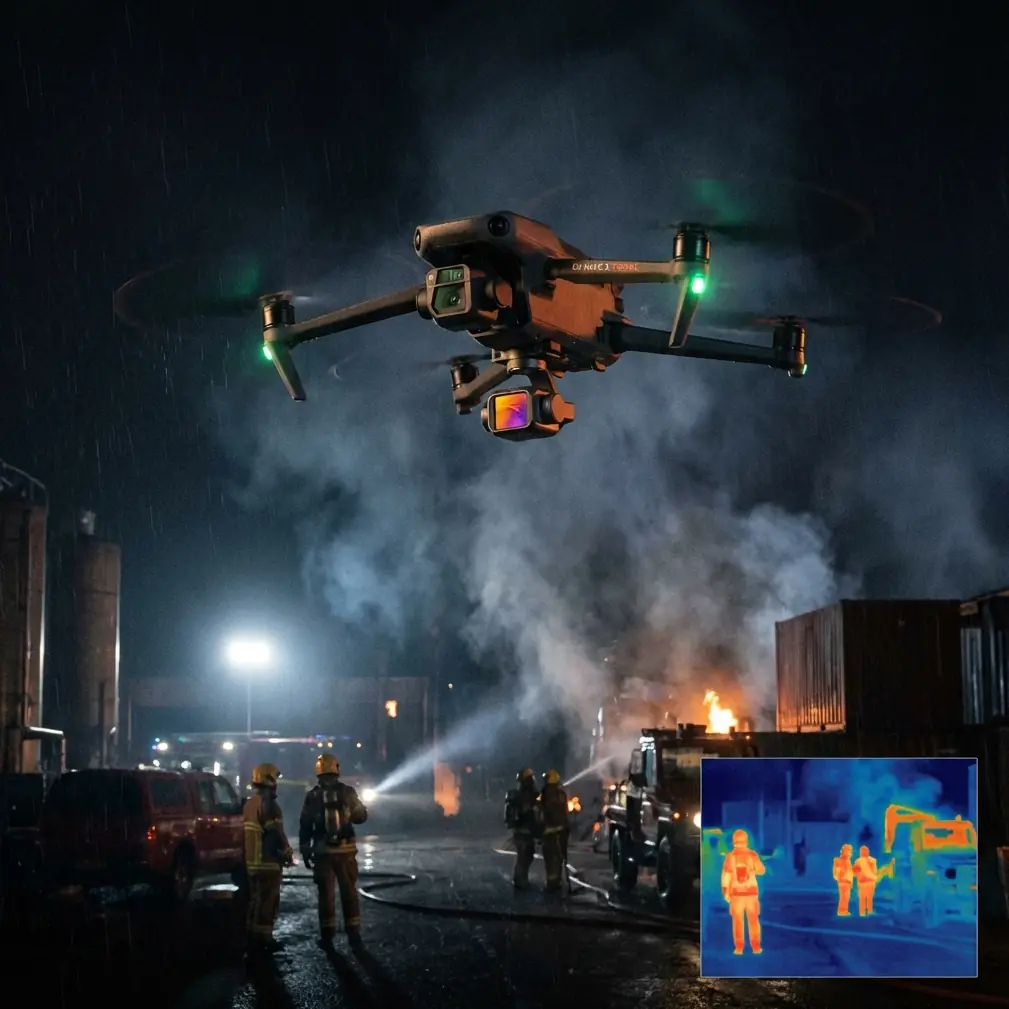
Neo 2 in Remote Construction Work: A Field Report on Range, Tracking, and Safer Flight Planning
META: A practical field report on using the Neo 2 for remote construction filming, with antenna positioning advice, obstacle avoidance considerations, ActiveTrack tips, D-Log workflow notes, and range-minded setup guidance.
Remote construction filming looks simple from the truck tailgate. Wide site, open sky, half-finished steel, a few dirt roads, maybe a crane. Then you launch and remember what these jobsites actually do to a drone pilot: they swallow contrast, create strange wind channels, hide cables where you least expect them, and make every battery decision feel more consequential because the walk back is never short.
That is where the Neo 2 earns attention. Not because it solves every hard problem on a remote site, but because its mix of subject tracking, obstacle awareness, QuickShots, Hyperlapse options, and D-Log flexibility can make a production day more efficient when the location is far from ideal. For crews documenting progress in isolated areas, efficiency is not a luxury. It is the difference between getting the shot list done before weather turns or leaving with gaps that are expensive to fill later.
I have been thinking about the Neo 2 specifically through the lens of construction documentation rather than travel footage or social clips. The priorities shift immediately. You care less about novelty and more about repeatability. Can the aircraft hold a reliable visual line on moving site vehicles? Can it safely work around partially built structures? Can it deliver files that preserve enough highlight detail for harsh midday conditions? Can the pilot maintain a strong control link when the aircraft is pushing out over uneven terrain and interference-prone machinery?
Those questions matter more than any headline spec sheet.
What makes the Neo 2 useful on a remote site
Construction filming has two jobs at once. First, it needs to produce something visually clear for stakeholders who were not on site. Second, it often needs to capture progress in a way that can be repeated week after week from roughly the same vantage points. The Neo 2’s feature set fits that kind of assignment unusually well because it bridges automation and manual control instead of forcing you to choose one or the other.
Take ActiveTrack and broader subject tracking. On a remote site, moving elements are often the story: excavators cutting a new trench, trucks cycling through a staging zone, crews placing structural sections. Tracking features are valuable here, but not for flashy orbit shots alone. Their real operational significance is consistency. If you need a machine followed along a haul road at a measured distance and angle, tracking reduces the number of variables you are juggling at once. You still monitor the aircraft constantly, but you are no longer hand-flying every micro-correction while also trying to preserve composition.
That matters because remote sites rarely give you a clean foreground-to-background separation. Dust, concrete, rebar, and temporary fencing can confuse both pilots and sensors. A capable tracking mode helps stabilize the storytelling side of the job, which frees more attention for safety and airspace awareness.
Obstacle avoidance is the other obvious example, though its value on construction sites is often misunderstood. People hear “obstacle avoidance” and assume it means the drone can be trusted around unfinished structures. That is not how experienced operators use it. On a remote site, obstacle sensing is less a permission slip than an extra layer in a defensive system. Steel members, cables, netting, and reflective surfaces all deserve skepticism. The Neo 2’s avoidance capability matters because it can catch certain closure-rate mistakes before they become expensive. But it does not replace site reconnaissance, conservative flight paths, or the habit of treating every crane and scaffold as a dynamic hazard.
In practical terms, obstacle avoidance on a construction site is most useful during transitional moves: backing away from a structure while reframing, sliding laterally near stacked materials, or descending toward a launch point after a long outbound leg. Those are the moments when pilot workload spikes and small judgment lapses happen.
Antenna positioning is the range skill most pilots underuse
If you film remote projects often, antenna positioning becomes part of your creative process, not just your preflight routine. I see too many pilots treat signal strength like a hidden technical issue rather than something they can actively improve from the ground.
Here is the simplest version: do not point the tips of the controller antennas directly at the aircraft if the system is designed to radiate broadside. In most modern controller designs, the stronger part of the signal projects from the sides of the antennas, not the ends. For maximum range and link stability, keep the flat faces or broadside orientation aimed toward the Neo 2’s operating area. Think of creating a signal wall in the drone’s direction rather than aiming two needles at it.
On remote construction sites, this gets more important because terrain and structures distort the link in ways that are easy to miss. A small rise between you and the aircraft can degrade performance faster than distance alone suggests. So can parking yourself beside a metal container office, a truck body, or a generator. If you want the strongest possible control and video link, do three things before takeoff:
- Stand on the highest safe ground with clear line of sight to the work area.
- Keep your body and the controller unobstructed by vehicles or steel objects.
- Re-orient the antennas every time the aircraft moves to a significantly different sector of the site.
That last point sounds obvious, yet it is constantly neglected. Pilots get locked into the screen and forget that the aircraft has now moved several hundred meters off-axis relative to the controller. Even one concrete number can reshape habits here: if your outbound line shifts by roughly 45 degrees from your original position, your antenna aim deserves a deliberate correction. On broad sites, that can happen quickly during lateral tracking runs.
The operational significance is straightforward. Better antenna positioning does not just help you go farther. It improves image reliability. Dropouts, lag, and unstable feed quality are not merely annoying when you are filming heavy equipment. They make it harder to judge closure rates, maintain framing, and time movements safely. Range discipline is shot discipline.
If your team wants to compare field setups or ask about control-link troubleshooting on isolated sites, I often point people to this quick chat option: message me here.
Why D-Log matters more in construction than people expect
Remote sites are brutal on exposure. White aggregate, pale concrete, reflective roofs, hard midday sun, deep shadows under framing—everything fights your dynamic range at once. This is where D-Log becomes a practical tool rather than a post-production luxury.
When you capture in D-Log, you preserve more flexibility in bright skies and high-contrast surfaces that would otherwise clip or collapse. For construction clients, this matters because the footage is often serving two audiences simultaneously: technical reviewers who want to see detail in structures and stakeholders who expect polished visuals. A flatter profile gives the editor room to balance both.
The key is to use D-Log intentionally. If the final delivery needs quick turnaround, you do not want to create an unnecessary grading bottleneck. But on remote projects where reshoots are difficult, I would rather come home with a flatter image that holds the highlights than a punchy baked-in look that loses roof texture or blows out reflective cladding.
That is especially true when the site changes by the hour. Concrete pours, crane lifts, and weather shifts do not wait for ideal light. D-Log is your insurance policy against the kind of harsh midday conditions construction schedules routinely force on the crew.
QuickShots and Hyperlapse are not just style tools
There is a temptation to dismiss QuickShots and Hyperlapse as features for lifestyle creators. On a jobsite, they can be far more disciplined than that.
QuickShots are useful when you need clean, repeatable reveal moves without burning time on multiple takes. Suppose you are documenting a new section of roadway, a tower placement, or a staged delivery zone. A pre-planned automated move can produce a consistent result fast, which matters when machinery windows are short and crews do not want an aircraft hovering overhead any longer than necessary. Consistency is the hidden value here. It makes before-and-after comparisons easier across project milestones.
Hyperlapse has a different role. Used carefully, it compresses the logic of site activity. It can show traffic flow, staging changes, panel installation progression, or weather movement over a build. For isolated projects, that kind of clip tells a story that ordinary real-time footage cannot. The site stops looking static and starts revealing process.
The warning is simple: do not use automation to avoid planning. Hyperlapse over an active construction zone still demands a safe route, predictable aircraft behavior, and a clear understanding of wind. On remote sites, wind often behaves badly around cut slopes, unfinished walls, and open elevations. The feature is useful, but only if the flight path is cleaner than the one you would accept for a casual scenic shot.
ActiveTrack around machinery: where it helps and where it doesn’t
ActiveTrack can be excellent for documenting moving assets, but construction equipment introduces visual and safety complexities that people underestimate. Large yellow machines often provide clear subject definition. Then the machine rotates, enters dust, passes behind materials, or merges visually with similarly colored equipment. That is where the operator’s judgment matters more than the algorithm.
The best use case is controlled movement in an area with predictable geometry: a truck traveling a designated path, an excavator cycling in an open cut, a loader crossing a laydown yard. The worst use case is a dense area with overhead obstructions, suspended loads, or overlapping moving objects. ActiveTrack is powerful, but a remote construction site can turn it from a time-saver into a distraction if the aircraft is asked to solve a scene that is changing too fast.
The operational significance is not that the feature sometimes works and sometimes does not. It is that the Neo 2 gives you the option to reduce pilot workload when the environment is suitable. That flexibility is valuable in the field. It means you can reserve your concentration for the truly difficult passes instead of spending every flight doing repetitive follow work manually.
How I would build a Neo 2 flight plan for a remote site
A good remote-site plan starts before the props move. I would divide the day into three capture categories.
First, the record shots. High, stable overview passes from fixed headings and altitudes. These are the backbone of progress documentation. They need to be repeatable, clean, and boring in the best way.
Second, the operational shots. This is where subject tracking and ActiveTrack come in. Pick one or two machine activities that explain what changed on site that week. Keep the path conservative, the altitude sensible, and the background uncluttered.
Third, the narrative shots. A QuickShot reveal from behind a soil berm. A Hyperlapse from a safe standoff point showing vehicles cycling through the main work zone. A low-angle lateral move along a new structural line. These shots are where the project starts to feel real to outside viewers.
The Neo 2 is strongest when used across all three categories rather than being asked to do only one thing. It can function as a documentation tool, a motion tool, and a post-friendly capture platform in the same deployment.
The remote-site mindset matters more than any mode
The truth about filming construction in remote locations is that the drone is only half the system. The other half is the operator’s discipline. Antenna orientation, line of sight, launch position, wind reading, route selection, and knowing when not to trust automation—those choices shape the day more than any single feature.
That is why the Neo 2 is interesting in this context. Its obstacle avoidance, ActiveTrack, QuickShots, Hyperlapse capability, and D-Log workflow are not isolated marketing bullets. On a remote construction site, they connect. Better tracking reduces workload. Better workload management leaves more attention for hazards. Better antenna positioning protects the control link. Better link quality supports safer, cleaner shots. Better log footage protects the edit when light is bad and reshoots are unrealistic.
That chain is what makes the aircraft useful.
If I were packing for a remote job with the Neo 2 tomorrow, I would not be thinking first about cinematic flourishes. I would be thinking about standing position, antenna angle, sun path, machine routes, emergency recovery space, and whether the tracking shot I want is actually safer as a manual pass. That is the difference between flying a drone at a construction site and using one professionally.
Remote locations reward methodical pilots. The Neo 2 gives that kind of operator a solid set of tools. The results come from how deliberately those tools are used.
Ready for your own Neo 2? Contact our team for expert consultation.