
Neo 2 Field Report: Capturing Wildlife in Dusty Conditions
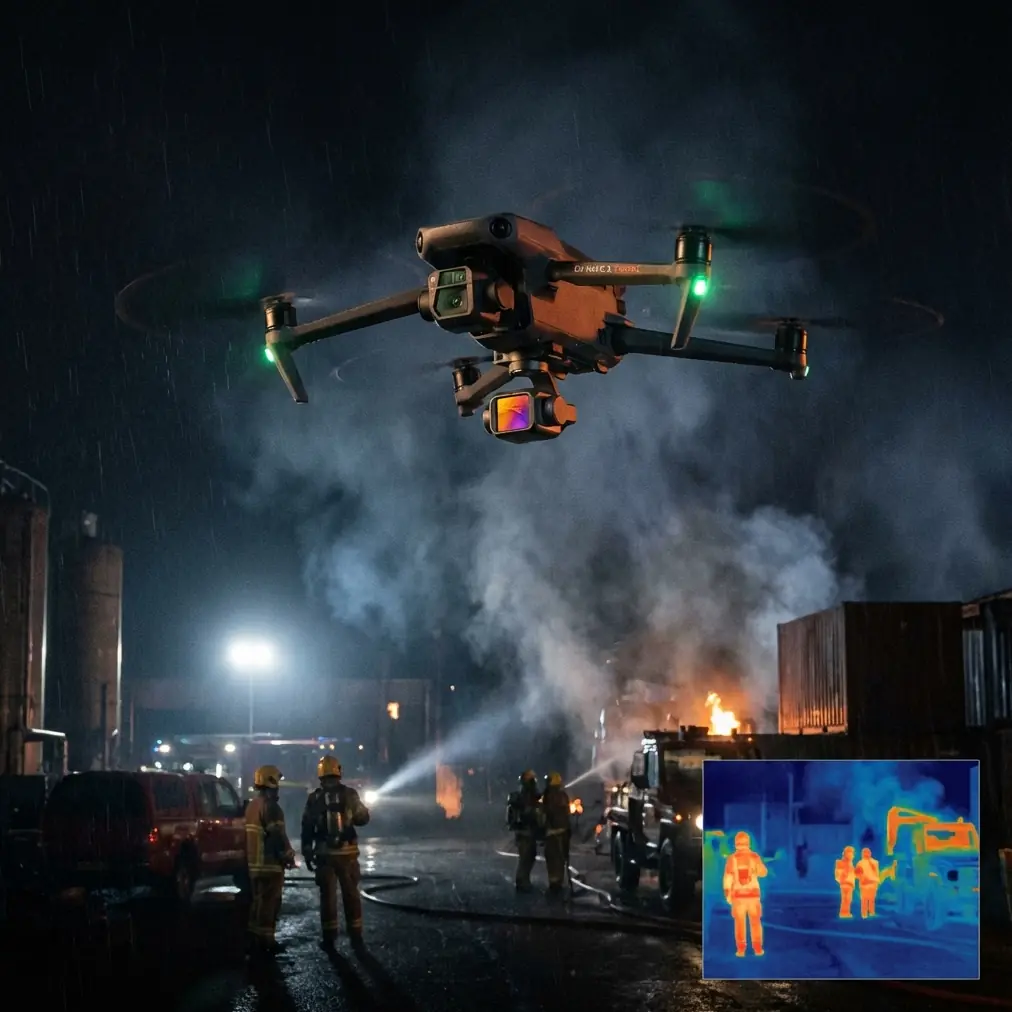
Neo 2 Field Report: Capturing Wildlife in Dusty Conditions When the Weather Turns Mid-Flight
META: A practical field report on using Neo 2 for wildlife filming in dusty conditions, with insights on obstacle avoidance, subject tracking, QuickShots, Hyperlapse, D-Log, and ActiveTrack when weather shifts suddenly.
Dust changes everything.
It gets into prop wash, softens contrast, confuses depth cues, and turns a simple wildlife flight into a test of judgment. That was the setting for this Neo 2 field session: dry ground, loose surface dust, intermittent wind, and wildlife that would not tolerate a noisy or clumsy approach. By the time the light began to flatten and the weather shifted mid-flight, the mission stopped being about collecting pretty clips and became a real check on how the aircraft behaved when conditions became less forgiving.
That is exactly where the Neo 2 earns attention.
This is not a generic overview of specs or a feature roundup detached from real use. This is a field-driven look at what matters when you are trying to film animals in a dusty environment without blowing the scene, losing the subject, or coming home with footage that collapses in grading.
The Setup: Wildlife, Dust, and Thin Margins
Wildlife filming is often misunderstood by people who only fly for landscapes. The challenge is not just framing. It is pressure management. You need enough stand-off distance to avoid pushing the animal, enough visual clarity to track motion against a chaotic background, and enough aircraft stability to adapt when the environment shifts faster than the shot plan.
Dusty terrain makes each of those harder.
Low-level flight kicks up particulates that can obscure fine detail in the live view. Animal movement through brush or dry grass creates visual clutter. If you are filming at dawn or late afternoon, the light can improve texture but also exaggerate haze. Add a weather change during the sortie—something as simple as a fresh gust front or a sudden drop in usable contrast—and the difference between a controlled capture and a wasted battery becomes obvious.
On this flight, the initial objective was straightforward: document wildlife movement along a dry edge line where open ground met scrub. The Neo 2 was chosen not because it promises miracles, but because it brings together a few functions that matter disproportionately in the field: obstacle avoidance, subject tracking, ActiveTrack behavior, and QuickShots that can be deployed quickly when you do not have time to rebuild the setup.
Those features sound familiar on paper. In dust, they stop being marketing vocabulary and become operational tools.
What Changed Mid-Flight
The first phase of the flight was clean. Visibility was acceptable, the animal movement was predictable, and the air mass felt stable enough to hold a measured lateral track. Then the weather shifted.
The wind picked up first. Not dramatically, but enough to start lifting surface dust in uneven streaks. That is the kind of change that matters more than a headline wind number because it affects the image before it affects the aircraft. Contrast drops. Background separation weakens. The subject begins to blend into the terrain. At the same time, the pilot has to think about rotor wash interacting with loose material if the aircraft drops too low on a pursuit line.
This is where obstacle avoidance and subject tracking begin to overlap in a useful way.
In a dusty wildlife scenario, obstacle avoidance is not just about preventing a collision with a branch or a rock face. It is about preserving margin while your attention is partially occupied by the animal’s path. When the weather shifted, the Neo 2’s obstacle awareness reduced the workload enough to keep the flight focused on timing rather than constant micro-corrections. That is operationally significant because wildlife filming rewards calm input. Jerky stick work does not just ruin footage; it increases the chance of pressuring the subject into erratic movement.
Subject tracking also became more valuable as visibility degraded. In clean air, you can often hold a moving animal manually with little trouble. Once dust begins to lift and the scene loses definition, tracking support helps maintain compositional consistency while you prioritize altitude, offset, and escape routes. It is not a substitute for piloting skill. It is a way to protect that skill from being spent on repetitive corrections.
The difference is subtle until it isn’t.
Why ActiveTrack Matters in This Exact Use Case
ActiveTrack has one job in a wildlife flight: hold the story together while the subject refuses to cooperate.
Animals do not move like vehicles or athletes on a marked course. They stop without warning, break diagonally, disappear behind scrub, and reappear at awkward angles. In dry terrain, they also tend to move through visually noisy backgrounds that can make manual framing more demanding than people expect. The Neo 2’s ActiveTrack behavior, used with restraint, helps the aircraft stay engaged with the moving subject while the operator thinks one step ahead.
That last part matters. The best wildlife pilots are not reacting to what the animal is doing now. They are anticipating where it can go next without being boxed in by terrain, brush, or a sudden gust.
When the weather turned, ActiveTrack made it easier to preserve spacing. Instead of chasing aggressively, the aircraft could maintain a more measured follow profile. Operationally, that reduces the risk of overflying the animal or dropping low enough to lift dust into the lensing path. In dusty conditions, every extra particle between sensor and subject degrades the image. A stable, offset follow is often better than the closer, more dramatic track people imagine they want.
If you are trying to capture behavior rather than just prove that you found wildlife, that distinction is everything.
QuickShots Are Better Than People Admit
QuickShots are easy to dismiss if you have spent years building your own manual moves. That misses their real value in the field.
When wildlife presents a brief window, speed matters. Not frantic speed. Prepared speed. A QuickShot can be useful because it gives you a repeatable camera move without wasting mental bandwidth on execution details you already know how to solve. In dusty conditions, where the environment is already pulling attention away from creative choices, that consistency is useful.
During this field session, QuickShots were not the main event, but they were valuable as insurance. Once the weather began changing, there was less time to experiment with complex lines. A quick, controlled move was often the smarter choice than forcing a handcrafted pass through a scene that was losing clarity by the minute.
That is the operational significance: QuickShots can preserve opportunities when conditions shrink your margin. They are not just for beginners. Used properly, they are time compression tools.
Hyperlapse in a Dusty Wildlife Environment
Hyperlapse is not the first feature most people reach for when filming animals, and that is fair. But in this kind of environment, it can help tell the bigger story around the subject.
A dusty wildlife scene is not only about the animal. It is also about atmosphere, wind behavior, movement across the landscape, and the changing visual texture of the terrain as conditions shift. Hyperlapse can capture the build-up of dust in the air, the advancing weather pattern, or the way light falls off over the edge habitat the animals are using.
That matters editorially. A strong wildlife sequence often needs context shots that explain why the movement happened when it did. Did the wind push animals toward cover? Did visibility change? Did the weather compress the usable flight window? Hyperlapse can answer those questions visually without forcing the audience to guess.
Used in combination with real-time tracking footage, it turns isolated clips into a sequence with logic.
D-Log Is Not Just for Colorists
Dust creates one of the hardest looks to manage in post because it flattens a scene while simultaneously producing harsh highlights in the brightest suspended particles. If you expose too aggressively for punchy delivery straight out of camera, you can end up boxing yourself into a brittle image that falls apart during correction.
This is where D-Log becomes practical rather than theoretical.
In this field report, D-Log was useful because it preserved flexibility after the weather changed. Once the sky muted and the airborne dust thickened, the image started carrying lower contrast overall, but with enough bright contamination to punish careless grading. A flatter recording profile gives you more room to rebalance the scene, recover shape in the terrain, and keep the subject from looking pasted into a haze cloud.
Operationally, that means you do not have to decide everything in the air. You can prioritize safe flight, keep the exposure disciplined, and sort out the final tonal direction later. For wildlife operators working in dusty conditions, that margin is not a luxury. It is often the difference between usable footage and material that only looked good on the live monitor.
What the Neo 2 Did Well When Conditions Got Worse
The strongest performance here was not a dramatic trick. It was composure.
As the weather shifted, the Neo 2 remained useful because it supported steady decision-making. Obstacle avoidance reduced unnecessary stress near brush and uneven terrain. Subject tracking and ActiveTrack helped maintain framing discipline while the scene became visually messier. QuickShots offered fast, repeatable movement when time and conditions no longer supported experimentation. D-Log kept the footage viable for a more careful finish in post. Hyperlapse, while not central to the animal pass itself, gave the broader environmental transition narrative some visual authority.
Taken together, those are not isolated features. They are a workflow.
That is the part experienced pilots tend to value most. Features matter less individually than they do as a chain. If one tool saves attention, another can improve composition. If composition stabilizes, you can preserve more stand-off distance. If distance improves, the subject behaves more naturally. If the footage is cleaner behaviorally, D-Log has something worth protecting in post.
That is how a real field system works.
What I Would Do Differently Next Time
Even with a capable platform, dusty wildlife work still rewards restraint.
I would build more altitude margin into the initial passes. Dust is deceptive from the ground; it often looks manageable until you see how it layers across a moving shot. I would also commit earlier to context capture once the weather starts to turn. There is a temptation to keep chasing the hero shot, but once contrast begins to fall and the subject starts disappearing into haze, the surrounding environmental footage may become the more valuable asset.
I would also treat ActiveTrack as a support function, not the mission lead. That is not criticism. It is discipline. Wildlife behavior is too variable to hand over creative control entirely, especially once weather adds another moving variable.
If you regularly work in these conditions and want to compare setups or flight approaches, I put together a simple way to continue the discussion here: message me directly about your Neo 2 field workflow.
The Real Takeaway for Wildlife Pilots
The Neo 2 makes sense for dusty wildlife work when you use it like a field tool rather than a feature demo.
That means leaning on obstacle avoidance to preserve mental bandwidth, using subject tracking and ActiveTrack to support spacing and composition rather than forcing dramatic pursuit, treating QuickShots as efficient shot insurance, and recording in D-Log when airborne dust and changing light threaten to compress your grading options. Hyperlapse, meanwhile, helps build the environmental story that gives the wildlife sequence meaning.
The weather shift during this flight clarified something useful. In easy conditions, many drones look good. In marginal conditions, you start to see whether the aircraft helps you think clearly or simply gives you more settings to juggle.
That difference is what stays with you after the battery is back in the case and the dust has settled.
Ready for your own Neo 2? Contact our team for expert consultation.