
Neo 2 in Windy Venues: A Practical Field Guide to Cleaner
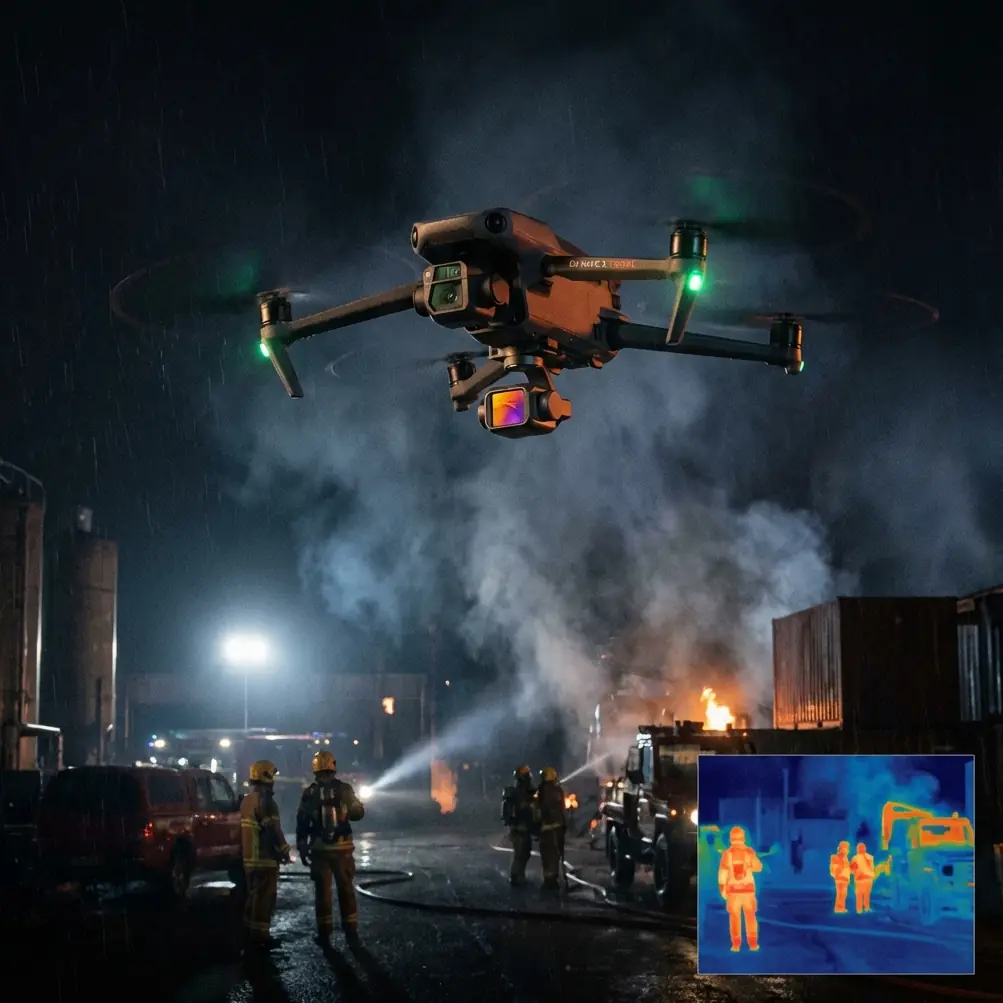
Neo 2 in Windy Venues: A Practical Field Guide to Cleaner Shots, Safer Flights, and Better Signal Discipline
META: A field-tested Neo 2 guide for filming windy venues, covering obstacle avoidance, ActiveTrack, QuickShots, Hyperlapse, D-Log, and how antenna adjustment helps reduce electromagnetic interference issues.
Wind changes everything at a venue.
A location that looks easy in still conditions can become demanding once gusts start pushing the aircraft off line, crowd movement becomes less predictable, and radio noise from event infrastructure begins competing for signal quality. If you are flying a Neo 2 around stadium exteriors, waterfront event spaces, open-air wedding venues, rooftops, fairgrounds, or temporary festival builds, the challenge is rarely just “can it fly.” The real question is whether it can hold a clean shot, maintain dependable control, and keep tracking behavior stable while the environment fights back.
That is where a more disciplined approach matters.
The Neo 2 is attractive for venue work because it sits at the intersection of ease and capability. It is approachable enough for creators and venue marketers, but it also carries features that solve real production problems: obstacle avoidance for safer positioning near structures, subject tracking for dynamic movement, QuickShots for repeatable social clips, Hyperlapse for establishing sequences, and D-Log for editors who need more latitude in post. Those are not checklist items. In windy venue shooting, each one changes how you plan and execute.
This guide is built around one specific scenario: capturing venues in wind while dealing with electromagnetic interference and inconsistent signal conditions. That means less theory, more operational relevance.
The real problem with windy venue shooting
Most people think wind only affects stability. It does, but that is just the first layer.
At a venue, wind usually creates four connected problems at once:
Shot drift
The aircraft may keep flying safely, but your framing starts to wander. Straight reveal shots become corrections. Tracking shots start looking nervous.Battery efficiency drops
Fighting headwinds takes energy. A route that looked comfortable on paper can become tight on return.Tracking reliability changes
Subject tracking is easiest when movement is predictable. Wind makes both the aircraft and the subject less consistent. Hair, clothing, flags, trees, and surrounding visual noise all become more active in the frame.Signal quality can degrade near venue infrastructure
This point gets ignored too often. Large venues are full of potential interference sources: Wi‑Fi systems, temporary broadcast gear, LED walls, steel truss, rooftop equipment, power distribution, and dense mobile device traffic. In that environment, antenna positioning is not a minor technicality. It can be the difference between a smooth outbound pass and a screen full of warnings.
If you are shooting a clean architectural piece or venue promo, these issues stack quickly. The drone may still be “in the air,” but the footage stops being useful.
Why Neo 2 features matter more in wind than in calm weather
A calm-day review of drone features often misses operational significance. In wind, the same tools become far more valuable.
Obstacle avoidance is not just about safety
Around venues, obstacle avoidance helps preserve decision-making margin.
In wind, a pilot tends to make more micro-corrections. Near facades, lighting rigs, signage, trees, fencing, and cable-supported temporary structures, those corrections can eat up space quickly. Obstacle avoidance reduces the risk of a small correction turning into a bigger problem. It also lets you work with more confidence when performing lateral reveals or slow orbit-style moves where wind may push the aircraft closer to the environment than intended.
That matters most in transitional spaces: entry plazas, covered drop-off areas, courtyards, grandstands, and landscaped paths where the wind can swirl instead of flowing in a single direction.
ActiveTrack and subject tracking help when ground movement is uneven
Venue content is often about flow: a couple entering a reception, guests crossing a plaza, a cyclist arriving at an event, or staff moving through a space before opening. In wind, manually holding framing on a moving subject while also managing drift becomes more demanding. ActiveTrack and subject tracking reduce that workload.
The key advantage is consistency. Rather than splitting your attention between composition, yaw, lateral drift, and subject placement, you can let the aircraft assist with keeping the subject centered or otherwise framed appropriately while you focus on route safety and motion quality.
That said, tracking in windy spaces works best when the subject path is clear and the background is not excessively cluttered. Near reflective glass, tall banners, and moving crowds, you should expect to intervene more often.
QuickShots are useful because repeatability matters
QuickShots are often treated like beginner tools. For venue creators, they are often efficiency tools.
When the wind is changing by the minute, having repeatable automated shot patterns is useful because you can capture a clean take quickly when conditions line up. If you have a short calm window between gusts, a QuickShot can help you secure a usable clip without spending extra time manually building the move. That is especially valuable for social content teams working through a shot list under time pressure.
The caveat is obvious: use them where obstacle clearance is generous and where the aircraft’s path is not exposed to erratic wind funneling between buildings.
Hyperlapse can turn difficult conditions into visual advantage
Wind usually makes people think “avoid longer motion sequences.” Sometimes the opposite is true.
A venue in motion can look stronger as a Hyperlapse if you plan around the conditions. Fast-moving clouds, shifting crowd patterns, and changing light across a large property can give the venue a sense of scale and energy that a static clip cannot. Hyperlapse is especially effective for exterior establishing sequences before an event opens or during a transition from day to evening.
But this only works if your aircraft position remains dependable enough for the sequence. That means choosing sheltered launch positions, respecting return margins, and paying close attention to signal quality from the start.
D-Log gives you recovery room in difficult light
Windy days often come with mixed light: fast cloud transitions, bright reflections, and sudden contrast swings. D-Log matters because it gives editors more flexibility to recover highlights and shape a more polished final image.
For venue work, that can be the difference between a sky that clips during a reveal and one that still holds texture. It can also help balance shaded guest areas against bright roofing, pavement, or water nearby. If you are delivering a venue brand piece, not just casual social footage, that grading headroom is significant.
The overlooked issue: electromagnetic interference at venues
Now to the part that deserves more attention.
Windy outdoor venues are often technically noisy venues. Temporary event builds can introduce wireless systems you did not see during the site walk. Permanent venues often have their own communications equipment. Add dense phone usage, nearby rooftops, steel frameworks, and reflective surfaces, and you have a setting where electromagnetic interference can affect signal behavior in ways that feel inconsistent from one corner of the property to another.
This is where antenna adjustment becomes a practical skill, not a niche tip.
The basic principle is simple: do not point the wrong part of the antenna at the aircraft, and do not assume the best signal comes from waving the controller around. Maintain deliberate orientation between the controller and the Neo 2. If the aircraft is repositioned, your antenna alignment should change with it. If signal quality begins to weaken near a known interference zone, a measured antenna adjustment can restore a cleaner link before the issue escalates.
Operationally, this matters for two reasons:
It protects shot continuity.
Signal instability often shows up before a total link problem. You may see lag, hesitations, or choppy framing adjustments that ruin otherwise strong footage.It helps you avoid bad route decisions.
A pilot who ignores deteriorating signal may continue into a less favorable area. Correcting antenna orientation early can help you decide whether to continue, reposition, or end the pass while options are still open.
At large venues, I recommend testing signal quality from several positions before the main flight. Do not just launch from the most convenient spot. Launch from the best communication spot. Those are not always the same.
A field workflow that works better than improvising
When shooting a venue in wind, the Neo 2 performs best when each flight has one purpose.
1. Start with a low reconnaissance pass
Keep the first flight conservative. Stay lower, stay close, and learn where the wind changes character. Trees, walls, corners, and open gates often create turbulence that is not obvious from the ground.
This is also your chance to identify interference pockets. If signal quality shifts near LED structures, rooftop mechanicals, or grandstand edges, note it immediately.
2. Separate architectural shots from people shots
Do not mix everything into one flight plan.
Architectural shots usually benefit from slower, more precise movement and more attention to structure clearance. People shots benefit more from subject tracking and dynamic reframing. Splitting these goals improves both safety and footage quality.
3. Use ActiveTrack only where the route is predictable
If a subject is walking through a clean path with clear spacing, ActiveTrack is a major advantage. If they are moving in and out of canopies, signage, clustered groups, or trees in gusty wind, it is smarter to simplify the shot.
Tracking is a tool, not a requirement.
4. Reserve QuickShots for open airspace
This is where many pilots get casual. Automated moves save time, but only if the surrounding airspace truly supports them. At venues, decorative elements can be deceptive from ground level. Walk the area first.
5. Capture one D-Log sequence you know you will grade carefully
Even if most of the deliverables are quick-turn social edits, get at least one hero sequence in D-Log. On difficult weather days, that extra image flexibility can rescue your best establishing shot.
6. Treat antenna orientation as part of piloting, not troubleshooting
Do not wait for a warning to think about signal alignment. Make it continuous. As the Neo 2 moves, your controller relationship should move with it.
If you manage multiple venues or need a workflow tailored to your own environment, send your shooting scenario here: https://wa.me/85255379740
Best venue shots to attempt when the wind is not ideal
Some shots remain realistic even when conditions are less than perfect.
Cross-axis reveal of the venue entrance
A short, controlled lateral movement can look polished without requiring a long exposed flight path. Obstacle avoidance helps here, especially near signage, trees, and decorative structures.
Elevated follow of a single subject
A guest arrival, couple walk-in, or staff movement shot can work well with ActiveTrack if the path is open. Keep the route short and maintain visual simplicity.
Static-to-motion Hyperlapse of exterior activity
Good for showing scale, arrivals, weather movement, and light changes. Particularly effective around waterfront venues, event lawns, and stadium perimeters.
Short ascending overview
A restrained climb can establish the layout without overcommitting to altitude in stronger winds. This is often safer and more usable than a long sweeping move.
What to avoid when venue conditions turn unstable
Not every idea deserves to fly.
Avoid long downwind legs that require a demanding return, especially when battery consumption is already elevated. Avoid tight lateral moves near building edges where gusts can push the aircraft unexpectedly. Avoid assuming one successful pass means the entire property is stable. Wind and interference can vary dramatically within the same venue footprint.
And avoid blaming everything on the aircraft.
A lot of “drone problems” in venue environments are really planning problems: poor launch position, weak antenna discipline, trying to track in cluttered spaces, or forcing a cinematic move that the location does not support that day.
The takeaway for Neo 2 venue creators
The Neo 2 makes sense for venue capture not because it promises perfect conditions, but because its feature set is useful when conditions are imperfect. Obstacle avoidance gives you margin around structures. ActiveTrack and subject tracking reduce workload when people are moving. QuickShots help you capitalize on short weather windows. Hyperlapse can turn a windy day into a stronger visual story. D-Log gives your editor room to fix what the sky and light are trying to ruin.
The missing piece is pilot discipline.
In windy venues, good footage comes from reading the environment correctly, choosing shots that match the conditions, and treating signal management as part of the craft. Antenna adjustment in the face of electromagnetic interference is not glamorous, but it is exactly the sort of detail that separates smooth venue work from frustrating reshoots.
The Neo 2 can deliver excellent results in these settings. You just need to fly the venue you actually have, not the one you hoped for.
Ready for your own Neo 2? Contact our team for expert consultation.