
Neo 2 for Coastal Construction Sites: A Field Case Study
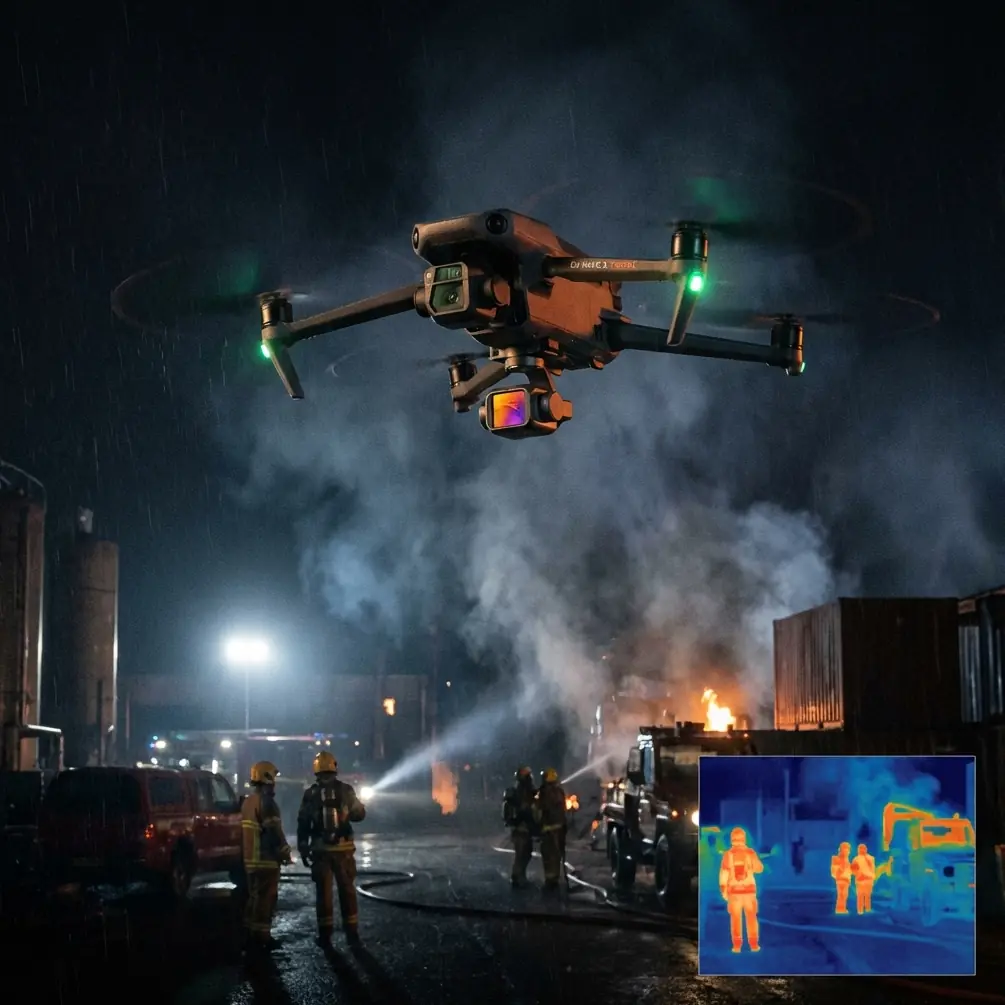
Neo 2 for Coastal Construction Sites: A Field Case Study from a Photographer’s View
META: A practical case study on using Neo 2 for coastal construction site capture, with expert advice on obstacle avoidance, subject tracking, QuickShots, Hyperlapse, D-Log, ActiveTrack, and antenna positioning for stronger range.
I spend a lot of time around job sites that are anything but forgiving. Wind comes off the water harder than crews expect. Salt hangs in the air. Light bounces off concrete, steel, wet surfaces, and temporary fencing in ways that can make ordinary aerial footage look flat or chaotic. Coastal construction work is rarely a clean environment for any camera platform, and that is exactly why Neo 2 becomes interesting.
This is not a studio drone. It earns its keep when the site is changing every week and the brief is bigger than “get a nice overview.” The real ask on these jobs is to document progress clearly, keep flights efficient, avoid site hazards, and deliver footage that can be used by project managers, stakeholders, and marketing teams without wasting half a day in post.
I approached one recent coastal construction shoot with that exact mindset. The client needed recurring visual updates for a mixed-use build near the shoreline. There were cranes, stacked materials, reflective glazing already going in on one facade, and a narrow corridor between the main structure and a temporary works area. Conditions changed by the hour. By noon, sea haze rolled in. By late afternoon, shadows from the crane jib cut across the slab in long diagonals. Neo 2’s value showed up not in one headline feature, but in how several tools worked together.
Why Neo 2 fits this kind of site
A coastal construction project creates two competing pressures. First, you need speed. Site windows are short, supervisors want minimal interruption, and workers are moving through the frame. Second, you need control. A drone that feels easy in open recreational airspace can become awkward once you add scaffolding, rebar bundles, concrete pump booms, and gusty edge conditions.
That is where obstacle avoidance matters in a practical sense. On a build site, obstacle sensing is not just about preventing a dramatic mistake. It helps preserve smooth shot continuity when you are flying close enough to reveal useful detail. For example, when tracking along the building edge to show facade installation progress, the difference between a cautious, stable flight path and a nervous manual correction every few seconds is the difference between footage that looks intentional and footage that looks improvised.
The same goes for subject tracking and ActiveTrack. Those terms get tossed around as if they are lifestyle features for runners and cyclists. On a construction site, they become workflow tools. If you need to follow a site vehicle along a marked haul route, or track a supervisor walking the perimeter for a progress narration clip, reliable tracking reduces the pilot workload. Instead of splitting attention between framing and avoiding obstacles, you can concentrate on separation, altitude, and how the shot tells the story of the site.
The first challenge: salt air and visual clutter
Coastal jobs are visually messy. Tarps flap. Temporary fencing throws patterns into the frame. White site cabins sit beside raw concrete. The sea itself creates a bright horizon line that can fool exposure decisions if you are not careful.
This is where I lean heavily on D-Log. I do not use it because it sounds advanced. I use it because coastal construction has extreme tonal contrast. You often have bright sky, reflective water, pale concrete, and deep shadow under partially completed slabs all in one shot. D-Log gives you more room to hold those highlights while keeping enough detail in the darker zones to make the footage usable later.
Operationally, that matters because progress documentation is not the same as cinematic travel footage. A client may need to see surface conditions, material staging, facade alignment, or roof membrane work in the same clip. If the bright areas clip too hard, or shadows block up, you are no longer making a record the site team can trust. D-Log protects the image so it can serve both documentation and presentation.
On one pass, I flew a diagonal reveal from the seaward side toward the upper deck. To the eye, the view looked balanced. In camera, the reflected light from the water was much harsher. Shooting in D-Log preserved the scene. Later, I could grade for a clean, neutral result that showed the real construction progress without making the sea and sky overpower the building.
The second challenge: getting repeatable progress shots
Construction clients rarely want one beautiful flight. They want consistency across weeks and months. They need visual records that can be compared over time. That means your flight style has to be repeatable.
QuickShots and Hyperlapse can sound like lightweight features until you use them with discipline. On a coastal site, they can become repeatable templates for progress storytelling.
A short automated movement done from the same position each visit can create a reliable visual benchmark. If the framing and motion remain consistent, changes in structure height, facade completion, crane placement, and material movement become obvious. That is useful not only for external stakeholders but also for internal teams reviewing sequencing.
Hyperlapse, used carefully, adds another layer. Coastal construction sites change fast within a single day. Concrete pours, crane lifts, deliveries, and crew movement can make a site look entirely different over a few hours. A controlled Hyperlapse sequence can compress that activity into something a project manager can review quickly. Not every site needs it, but when a client wants to show the rhythm of a milestone day, it can do more than static photos ever could.
The key is restraint. A construction site is not the place to overuse flashy moves. I treat QuickShots as a measurement tool disguised as a creative tool. If a preset movement helps reveal spatial relationships and keeps the shot reproducible, it earns a place in the flight plan.
Antenna positioning advice that actually helps on site
Range conversations are often too vague to be useful. On a coastal construction site, the issue is not usually raw distance. It is signal quality in an environment with metal, machinery, temporary structures, and shifting pilot position.
My simplest antenna rule for maximum range is this: align the controller antennas so their broadside faces the aircraft, not the thin tips pointed directly at it. In plain terms, do not “aim” the antenna ends like laser pointers. Keep the antenna faces presented toward the drone and adjust your body position as the aircraft moves.
That matters because the signal pattern is strongest off the sides of the antennas, not straight off the tips. On a job site, small orientation mistakes can reduce link quality faster than people expect, especially when the drone drops behind structural elements or when cranes and steel framing start interrupting line of sight.
A few field habits help:
- Stand where you maintain the clearest possible line of sight above vehicles and temporary barriers.
- If the drone moves laterally across the site, rotate your torso with it instead of locking into one stance.
- Avoid standing tight against containers, site cabins, or parked machinery that can create extra interference or physically block the signal path.
- If you need to work near a building edge, take a step or two to keep the aircraft from slipping behind concrete or steel as it turns.
On one coastal project, simply moving five or six meters away from a stack of steel sections noticeably improved signal stability during a facade orbit. That was not a drone problem. It was a pilot positioning problem. Good antenna orientation and clean line of sight are still among the easiest performance gains you can get for free.
If you are planning site capture routines and want a second opinion on setup logic, I usually suggest teams start with a short pre-flight workflow and reach out through this field planning chat when they need a practical answer quickly.
How ActiveTrack changes the way I cover site movement
There is a misconception that tracking tools are mainly for dynamic consumer footage. In my experience, ActiveTrack is genuinely useful on construction jobs when used with a clear subject and a safe buffer.
A good example is perimeter review. Suppose a project engineer wants a visual walkaround with the structure in frame while they move along a defined safe route. With ActiveTrack, I can keep that person framed while maintaining enough attention for altitude, lateral clearance, and environmental factors. That reduces the stop-start feel that often ruins site walkthrough footage.
It also helps when documenting logistics flow. Following a vehicle or a defined moving subject can reveal circulation patterns, access constraints, and sequencing in ways that static overheads cannot. The footage becomes more than visual decoration. It becomes a site communication tool.
Still, I never treat tracking as automatic permission to get close. Construction sites remain unpredictable. Workers change direction. Loads move. Temporary works appear where there was open space an hour earlier. The feature is useful because it reduces workload, not because it replaces judgment.
Managing wind off the water
Wind behaves differently near the coast than on inland sites. Gusts can appear unevenly as they come around building edges and through partially enclosed floors. You can feel calm conditions where you are standing and still see the aircraft correcting visibly thirty meters out.
The answer is to simplify the mission. I fly the most exposed establishing shots first, before conditions build. Then I move to closer, more protected paths where obstacle avoidance and careful manual control help smooth out the final footage.
Subject tracking and ActiveTrack are particularly useful here because they reduce overcorrection. When wind picks up, pilots often introduce unnecessary stick inputs while trying to maintain composition. Letting the drone assist with framing can help keep movement calmer and more readable.
For the client, that translates into one thing: footage that feels stable enough to trust. On a progress report, visual confidence matters.
What the deliverables looked like
For this site, the final package included three layers.
First, high, clean overviews showing the relationship between the shoreline, access roads, crane positions, and the main structure. These gave executives and non-technical stakeholders instant context.
Second, repeatable mid-level passes focused on facade sections, roof work, and staging areas. This is where obstacle avoidance, antenna discipline, and consistent flight paths mattered most.
Third, short movement-driven sequences using ActiveTrack, QuickShots, and one controlled Hyperlapse. These gave the contractor material that felt alive without sacrificing clarity. The result was not flashy. It was legible. That is more valuable.
D-Log tied the whole package together. Because the footage preserved detail across bright coastal light and heavy structural shadow, the edits stayed consistent. The site looked realistic from clip to clip, even though conditions changed throughout the day.
The broader takeaway for Neo 2 users
Neo 2 makes the most sense on construction sites when you stop thinking about features individually. Obstacle avoidance supports safer, smoother close work. ActiveTrack and subject tracking reduce pilot workload when documenting movement. QuickShots and Hyperlapse can become repeatable progress tools rather than gimmicks. D-Log protects the footage in harsh contrast, which coastal jobs produce constantly.
And antenna positioning, while less glamorous than any camera mode, is often what keeps the whole operation clean. A strong link is not just about distance. It is about maintaining orientation, line of sight, and smart pilot placement in a dense, reflective environment.
If you are capturing a coastal build, that combination matters more than any single specification sheet bullet. The drone has to handle changing light, visual clutter, environmental exposure, and tight operational windows. Neo 2 can do useful work there, but only if the person flying it approaches the site like a working environment, not a backdrop.
That is the real lesson from jobs like this. Good construction aerials are rarely about dramatic flying. They are about disciplined decisions, made early, repeated consistently, and adapted to the site as it evolves.
Ready for your own Neo 2? Contact our team for expert consultation.