
Neo 2 for Construction Sites: A Field Tutorial for Complex
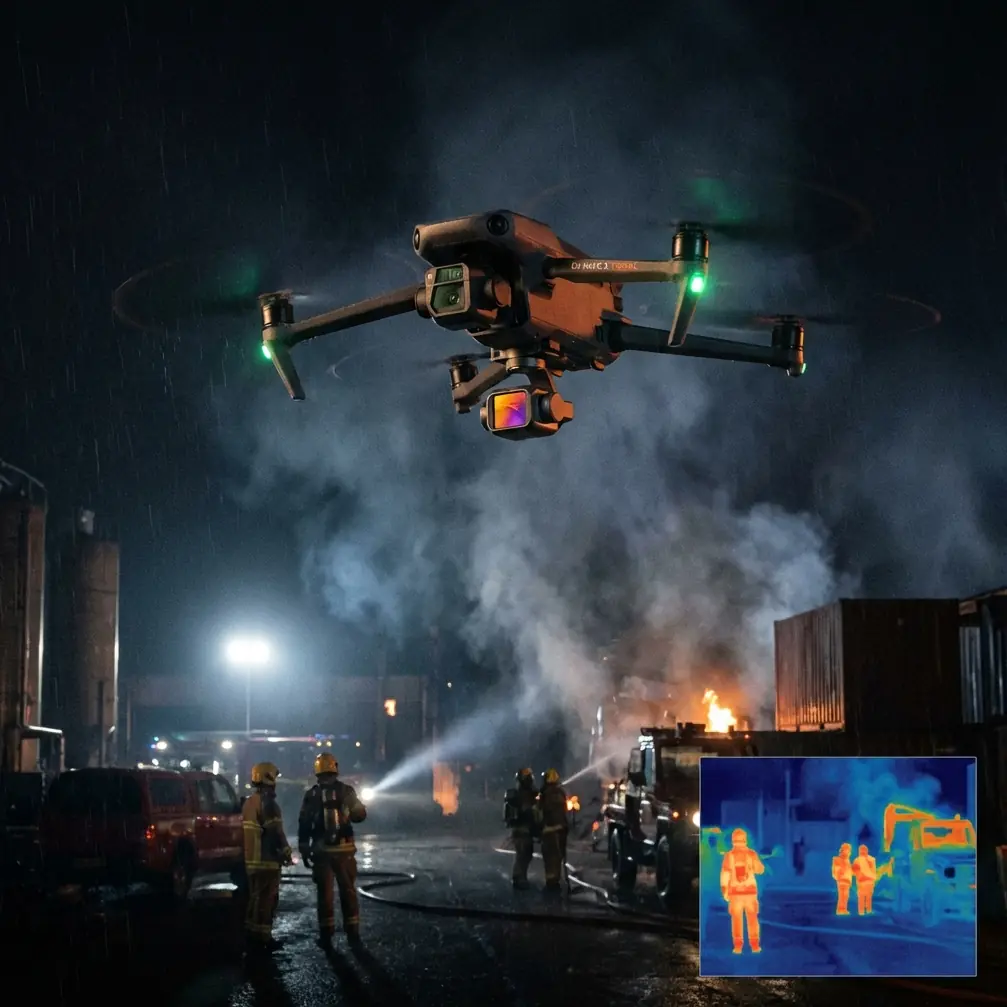
Neo 2 for Construction Sites: A Field Tutorial for Complex Terrain
META: Learn how to use Neo 2 on construction sites with uneven ground, obstacle avoidance, subject tracking, D-Log, QuickShots, and Hyperlapse workflows from a real-world field perspective.
Construction sites are messy in ways spec sheets never capture. Grade stakes move. Haul roads turn into dust funnels by noon. Steel, rebar, temporary fencing, telehandlers, and half-built walls create a maze that changes by the hour. If you are flying a Neo 2 in complex terrain, the real question is not whether the drone can get airborne. It is whether you can get repeatable, useful footage without wasting battery cycles, losing visual context, or fighting the site itself.
I shoot projects where the brief sounds simple until you arrive. “Get us progress photos and a clean site overview.” Then you step onto a slope cut into a hillside, with retaining work on one side, active excavation on the other, and trade traffic crossing the frame every few minutes. This is where a compact aircraft like the Neo 2 starts to make sense, but only if you use its flight aids with discipline rather than letting automation dictate the mission.
This guide is built for that exact scenario: documenting construction progress in difficult terrain while keeping footage precise enough for stakeholder updates, marketing edits, and operational review.
Start with the site, not the drone
Before I think about camera settings, I walk the perimeter and identify three things:
- Vertical hazards
- Lateral pinch points
- Motion patterns
Vertical hazards are obvious on paper and tricky in practice. Tower cranes are easy to see. A tension line, pipe rack, temporary scaffold extension, or protruding formwork is not. On a construction site built into uneven ground, elevation shifts can fool you into thinking you have more clearance than you do. If the Neo 2 has obstacle avoidance available in your chosen mode, that becomes less of a convenience feature and more of a margin-preserving tool. Not a substitute for planning. A buffer.
Lateral pinch points are where compact drones earn their keep. This might be the gap between a temporary site office and a perimeter fence, or a narrow corridor alongside a concrete wall where you want a revealing slide shot. A larger aircraft may still handle the task, but the operational pressure goes up. Neo 2’s smaller footprint matters here because it lets you work closer to the actual lines of the site while preserving the feeling of scale in the footage.
Motion patterns are what separate cinematic footage from useful construction footage. You need to know where the dump trucks queue, where personnel emerge from blind corners, where excavators swing, and where dust plumes will hit the lens. Subject tracking and ActiveTrack can help when following a superintendent vehicle or a survey buggy across changing terrain, but those tools only work well when you understand the route before you launch.
Build one repeatable flight plan
On difficult sites, I avoid improvising the whole mission in the air. I use a repeatable sequence.
First pass: high establishing orbit or angled reveal
Second pass: mid-altitude lateral tracking across active work zones
Third pass: detail pass for process and equipment context
Fourth pass: short creative segment for edit flexibility
That structure keeps the Neo 2 from becoming a toy on site. You are not just collecting cool clips. You are building a visual record.
For construction, the first pass should answer a basic management question: what changed since the last visit? I usually start high enough to define the site boundary, access roads, stockpile placement, and adjacent terrain. In complex terrain, this matters because grading progress often makes more sense in relation to the hillside, drainage channel, or cut-and-fill balance around it than in isolation. A top-down angle can look clean, but an oblique angle usually carries more operational value because it shows both footprint and elevation relationship.
The second pass is where ActiveTrack earns its place. If a site manager wants a record of equipment circulation or a visual for logistics planning, tracking a moving vehicle along an access route can communicate slope, congestion, and visibility far better than a static shot. The trick is not to let subject tracking wander into a cluttered background. Construction sites are full of visual traps: reflective metal, repeated textures, and intersecting machinery paths. Keep the subject isolated when possible.
Obstacle avoidance is useful, but only in the right lane
A lot of pilots talk about obstacle avoidance as if it turns the drone into a self-preserving machine. On construction sites, that mindset gets sloppy fast.
What matters is operational significance. If the Neo 2 can detect and react to obstacles while you are performing a slow lateral move along a structure, that gives you a safer way to maintain composition when the terrain drops away unexpectedly on one side. It also helps during low-altitude route work when your attention is split between framing and situational awareness.
I had one morning on a mountain-edge build where this became very real. We were filming a progress sequence near a newly carved bench cut above a creek corridor. A deer stepped out from scrub near the lower slope, then bolted uphill across the flight path just as I was easing into a sideways move to frame formwork and drainage pipe in the same shot. The drone’s sensors reacted before the moment became a problem. That mattered for two reasons. First, it prevented a rushed manual correction that could have pushed the aircraft toward brush and rock. Second, it preserved the shot rhythm. I could hold position, let the animal clear, and then resume the pass without destabilizing the footage.
That is the real value of avoidance systems on live sites and wild edges. Not magic. Recovery time. Stability under interruption.
Use QuickShots carefully on active projects
QuickShots can be dismissed as beginner features, but that is too simplistic. On a construction site, they can serve as disciplined templates when you need consistency under time pressure.
For example, a short reveal move from behind a stockpile or retaining wall can establish context quickly. A compact automated arc around a steel frame can work if the surrounding airspace is clean and you have already checked overhead and side clearances. Used well, QuickShots help standardize recurring visuals for weekly or monthly progress edits.
Used lazily, they produce footage that looks detached from the actual site priorities.
My rule is simple: if the shot tells the viewer something measurable about access, sequencing, footprint expansion, or structural progress, it stays. If it is just movement for its own sake, it goes. Construction clients often think they want flashy footage until they see a clean, informative sequence that actually helps them explain the project to owners, regulators, or investors.
Hyperlapse is stronger than most site teams realize
Hyperlapse is not just for skyline traffic or sunset clouds. On construction assignments, it can reveal patterns that normal video hides.
A well-positioned Hyperlapse clip can show material flow through a constrained access road, crew density changes across a slab pour, or the way light and shadow affect visibility near structural elements over the course of the day. On complex terrain, it can also show how the site interacts with its environment: fog moving through a valley edge, dust drifting from cut areas, or staging activity migrating as work fronts shift.
The key is placement. Do not set a Hyperlapse where every passing machine blocks the same foreground line unless that blockage is the point. Choose a frame with layered information: fixed structure, active work zone, circulation path, and terrain edge. When you get that balance right, the clip becomes more than visual garnish. It becomes evidence of site behavior.
D-Log is worth the extra effort
If you are delivering polished visuals from a construction site, D-Log matters. Flat color profiles preserve more flexibility in harsh conditions, especially on projects with bright aggregate, reflective metal, pale concrete, and deep shadow under partially built decks or canopies.
Construction lighting is brutal because contrast is rarely elegant. You may have a white membrane roof catching hard sun in one third of the frame and dark excavated soil in another. Shooting in D-Log gives you more room to recover detail and create a consistent look across footage captured at different times of day.
That consistency is not just aesthetic. It helps comparison. Progress imagery works better when the viewer is not distracted by major shifts in color and contrast from one update to the next.
I keep grading restrained. The goal is honest clarity, not dramatic mood. Neutral earth, readable safety colors, and detail in shadows. That is what most project teams actually need.
Subject tracking on rough terrain needs boundaries
Subject tracking sounds straightforward until the subject disappears behind a spoil pile or passes beneath temporary structure. On uneven sites, elevation changes can also distort the apparent motion path. A vehicle climbing a steep grade may seem slow in frame, then accelerate visually as it crests into open space. If the drone is trying to follow that movement while also managing obstacle logic, you need to think two steps ahead.
Here is the practical method I recommend:
- Track only one predictable subject at a time.
- Avoid handoffs between machines or personnel.
- Start with a clean background separation.
- Keep altitude margins wider than you think you need.
- Abort early if the route enters clutter.
When subject tracking works, it produces excellent explanatory footage. You can show how a site truck navigates switchback access, how a foreman moves between work faces, or how material transfer relates to grade changes. That kind of sequence helps viewers understand terrain complexity immediately.
If you want a second opinion on route planning for a difficult location, I sometimes share setup notes through this field message link.
Camera choices that actually help on site
The easiest mistake with a construction drone is over-shooting. Too many angles. Too much movement. Not enough purpose.
For progress and reporting, I prioritize these shot types:
- Elevated three-quarter overview of the whole site
- Straight lateral move across the active work face
- Slow push toward the primary structure
- Controlled top-down frame for layout and circulation
- Short tracked sequence of one relevant moving subject
That mix gives you both narrative and reference value. It lets the marketing team cut an edit, while also giving project stakeholders usable visual context.
If wind picks up, simplify further. A stable hover or slow lateral move often beats a more ambitious path that introduces micro-corrections and visual jitter. Neo 2’s portability is an advantage on sites where you need to reposition quickly between safe launch points, but compact drones still obey the same law as every aircraft: if conditions worsen, the smartest move is usually the least flashy one.
A practical field workflow for Neo 2
Here is the sequence I use when time is tight and the site is complex:
Arrive early enough to study traffic and light. Launch for an establishing pass before the site gets visually congested. Capture your highest-value overview first, because that is the shot least likely to improve later in the day. Then move into tracked and lateral work while machinery patterns are still predictable. Save creative clips such as QuickShots or Hyperlapse for the end, once the operational footage is secured.
That order matters. If wind rises, if dust worsens, if a work zone shuts down access, you already have the essential record.
I also recommend maintaining a simple shot log after each flight: site sector, altitude band, camera mode, and intended use. Over time, this turns your Neo 2 work into a repeatable documentation system rather than a series of disconnected clips.
What makes Neo 2 useful here
For construction sites in difficult terrain, the Neo 2 is not interesting because it is small. It is useful because its size, automated aids, and creative modes can be turned into a disciplined workflow. Obstacle avoidance helps preserve safe margins when the site geometry changes faster than memory can keep up. ActiveTrack and subject tracking can explain movement through grades and bottlenecks. QuickShots can standardize certain recurring visuals. Hyperlapse can reveal site behavior over time. D-Log gives you the latitude to make harsh, high-contrast scenes readable and consistent.
Those features only become valuable when they support a clear objective: show progress accurately, capture terrain relationships honestly, and bring back footage that people can actually use.
That is the difference between flying a drone over a construction site and documenting one well.
Ready for your own Neo 2? Contact our team for expert consultation.